
Attribute Consistency: Best Practices for Shopify Catalogs
Attribute consistency is crucial for Shopify merchants to maintain a clean, functional storefront. Inconsistent product data - like varying size labels ("XL", "X-Large", "Extra Large") or mixed units ("19 in", "19 inches") - can break filters, confuse customers, and hurt sales. Poor data quality costs organizations $15 million annually, making standardization a priority.
To fix this, focus on these key steps:
- Create Attribute Schemas: Use Shopify metafields to structure product data with clear namespaces, keys, and validation rules.
- Standardize Data Formats: Use consistent units (e.g., "lb" for weight) and convert ranges (e.g., "10–40°F" →
min: 10,max: 40). - Audit Regularly: Identify errors like duplicates, high cardinality, and missing fields through manual or automated tools like FacetGuard.
- Fix Common Issues: Standardize option names, remove duplicate attributes, and consolidate synonyms.
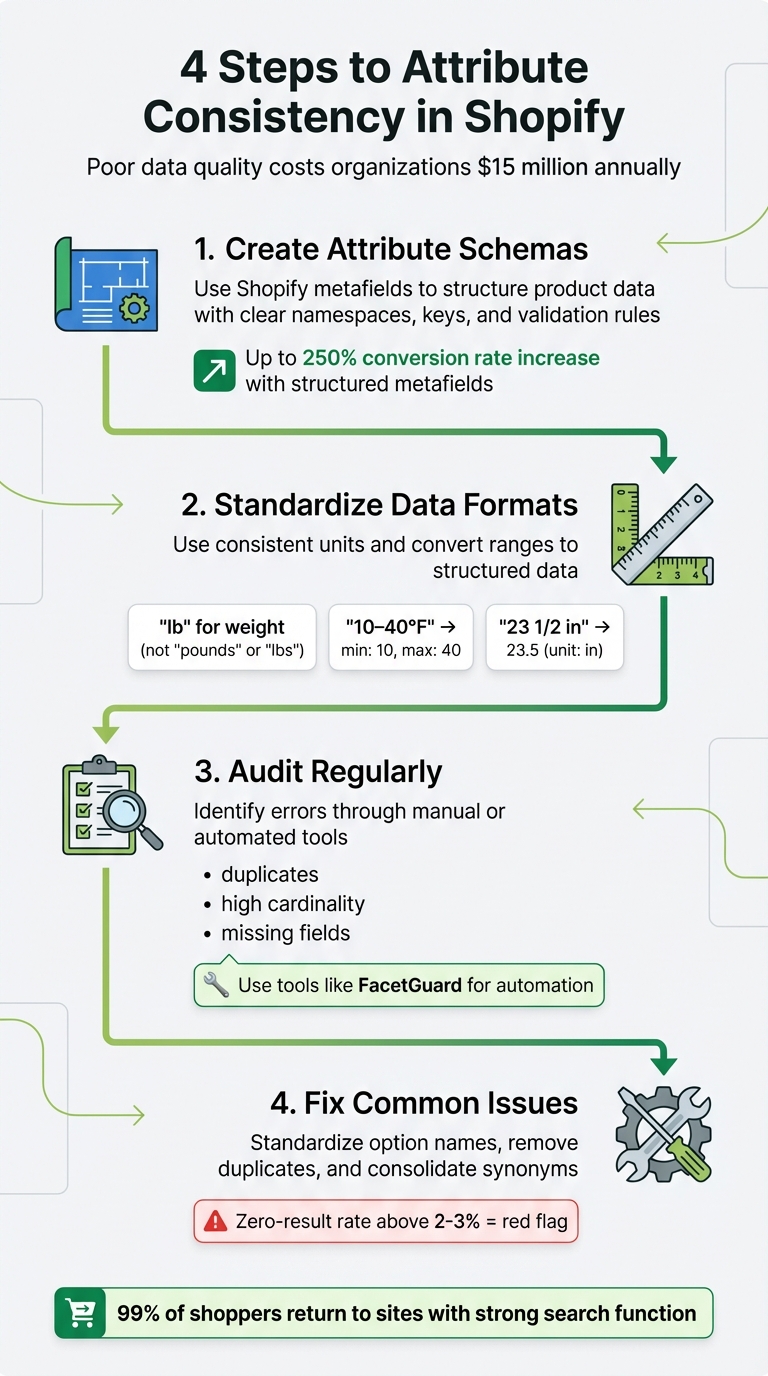
4-Step Process for Maintaining Shopify Attribute Consistency
Your Shopify Data Might Be Lying to You | Fix Your Data Structure For Brand Growth

sbb-itb-e8e54fb
Attribute Schemas and Standards
A well-structured schema is the backbone of effective attribute management in your Shopify catalog. In Shopify, an attribute schema is essentially a metafield definition - a blueprint that outlines how product data is organized. It specifies key elements like the namespace, key, data type (e.g., text, number, date), and validation rules for each data point you store. Think of it as turning your catalog into a well-organized database rather than a jumble of disconnected notes.
Without a schema, you risk creating redundant fields - like specs_material, material_type, and product_material - for the same information. This redundancy not only confuses your team but also complicates bulk edits and disrupts theme functionality. A schema eliminates this chaos by assigning a clear purpose to each attribute.
Shopify provides two types of definitions: standard and custom. Standard definitions (e.g., "Care guide" or "Product rating") are pre-configured and compatible with apps and themes. Custom definitions allow you to tailor fields to your store's unique needs. However, always check for a standard definition first - structured metafields have been linked to conversion rate increases of up to 250%.
"Treat metafields like a schema, not notes. Every metafield has a defined purpose, a defined format, and a defined owner." – Performantcode.io
The benefits of structured metafields go beyond organization. For example, retrieving data for 100 products with 400 variants took just 10 seconds via GraphQL compared to 4 minutes using REST - an 80% efficiency boost. Considering that even a 1-second delay in page load time can lead to a 7% drop in conversions, proper schema design can directly impact your revenue.
Setting Up Metafield Namespaces and Keys
Metafields in Shopify are uniquely identified by their namespace and key, separated by a dot - for instance, specifications.material. The namespace groups related fields, while the key pinpoints the specific attribute within that group. This setup prevents naming conflicts and ensures your data remains understandable for both developers and merchandisers.
Shopify offers reserved namespaces like descriptors (for subtitles and care guides), facts (for ISBN, UPC, EAN), and reviews (for ratings and review counts), which are designed to work seamlessly with themes and apps. If you need to create custom fields, establish naming standards early. For example, use specifications.material instead of vague abbreviations like prod_mat.
Consistency is key when naming metafields. Stick to one format - such as snake_case - and avoid mixing styles like productMaterial, product_material, and ProductMaterial, as this creates confusion and complicates automation. Assign someone on your team to oversee and approve new metafield definitions to avoid redundant entries.
Leverage specific data types instead of defaulting to plain text. Shopify offers specialized types like color for hex codes, dimension for measurements, and weight for mass values. These types come with built-in Liquid filters and validation, ensuring your data stays accurate. For relationships, such as linking a product to a designer profile, use product_reference or metaobject_reference instead of plain text IDs.
| Component | Description | Example |
|---|---|---|
| Namespace | Groups similar metafields | specifications |
| Key | Identifies the specific attribute | material |
| Name | Admin-friendly label | Primary Material |
| Type | Data format (text, number, file, etc.) | single_line_text_field |
| Validation | Optional rules (e.g., character limits) | Max length: 50 |
Once your namespaces and keys are in place, focus on standardizing value formats to maintain consistency.
Standardizing Value Formats
Standardizing your data ensures that storefront filters, specification tables, and product feeds function as they should. Start by creating a canonical attribute dictionary, where each attribute family has one primary storage unit. For instance, store weight in pounds consistently, even if you display it in kilograms.
Consolidate synonyms into a single term. For example, "Pounds", "lbs", and "lb" should all become "lb." Similarly, standardize "inches", "in", and the inch symbol (") to "in". Avoid storing ranges as text like "10–40°F"; instead, break them into two numeric fields: min and max.
Convert human-readable data into machine-friendly formats. For example, fractions like "23 1/2" should become decimals ("23.5"), and mixed units like "5 ft 8 in" should be standardized into a single unit ("68 in"). Shopify's native data types for dimension, volume, and weight store values as JSON objects, such as {"value": 25.0, "unit": "in"}.
Set up validation rules to catch errors before they enter your catalog. These can include character limits, minimum/maximum values, or regular expressions. For non-numeric fields like material or finish, create controlled vocabularies with predefined options (e.g., "Aluminum", "Steel", "Titanium") and map all supplier synonyms to these standards.
| Attribute Type | Best Practice Format | Example Transformation |
|---|---|---|
| Dimensions | Decimal + Unit | "23 1/2 in" → 23.5 (unit: in) |
| Weights | Numeric + Unit | "26 pounds" → 26.0 (unit: lb) |
| Ranges | Min/Max Numeric Fields | "10–40°F" → min: 10, max: 40 |
| Booleans | True/False | "Yes", "✓" → true |
| Dates | ISO 8601 | "March 22, 2026" → 2026-03-22 |
| Colors | Hexadecimal Code | "White" → #ffffff |
Ensure data is transformed before it enters your system of record. For instance, detect implied units ("Seat width: 19") and convert them to the canonical unit during the ETL process. This upfront effort prevents inconsistencies and avoids downstream issues.
Common Attribute Issues and How to Fix Them
Even with a well-structured schema, attribute inconsistencies can creep in due to supplier imports, manual data entry, or staff turnover. These inconsistencies can disrupt storefront filters, confuse customers, and lead to zero-result searches. If your zero-result rate climbs above 2–3%, it’s a red flag that demands immediate action.
The most troublesome issues include inconsistent option names (e.g., "Size" vs. "Sizing"), duplicate attributes spread across metafields and tags, and high cardinality, where too many unique values clutter your filters. While each problem requires a specific solution, they all stem from the same source: insufficient governance at the data entry stage.
"A filter menu is only as useful as the data behind it." – Lasso
Here’s how to tackle these issues and keep your catalog attributes consistent.
Fixing Inconsistent Option Names Across Variants
When product variants use inconsistent naming - such as "Color" for some products and "Colour" for others - it breaks filters and confuses shoppers. Shopify allows up to three options per product (like Size, Color, Material) and supports a maximum of 2,048 variants. Even minor naming differences can fragment filters into unnecessary categories.
For smaller catalogs, Shopify's Bulk Editor can help you standardize option names quickly. For larger inventories, export your product data to a CSV file, use tools like Excel or Google Sheets to apply a Find & Replace function (e.g., changing all instances of "Sizing" to "Size"), and then re-import the updated file.
To maintain consistency long-term, leverage category metafields. These enable you to update a value - like renaming "Black" to "Graphite" - and automatically sync the change across all linked products. After renaming options, double-check that variant images are still correctly linked.
"Properly naming and modifying these Shopify variant option names is not just about keeping things organized - it's crucial for enhancing the user experience and improving search engine visibility." – Starapps
Removing Duplicate Attributes in Metafields and Tags
Duplicate attributes stored in multiple locations - like having "material" as both a product tag and a metafield - can create confusion and operational risks. When different teams define similar metafields (e.g., specs_material, material_type, product_material), your filters might pull conflicting data, leading to unreliable results.
Start by exporting your product data to identify duplicates across tags, metafields, and variant options. Then, decide where each attribute belongs:
- Use metafields for unique product details (e.g., care instructions or technical specs).
- Use metaobjects for reusable elements like size charts.
- Use product options for shopper-facing variants that impact SKUs or pricing.
- Reserve tags for internal organization only.
After determining the correct location for each attribute, remove duplicates. For example, if "material" should be stored as a metafield (specifications.material), delete it from tags and redundant metafield keys. This consolidation minimizes errors, like forgetting to update values in all locations. To avoid future sprawl, assign someone on your team to review and approve new metafield definitions.
Managing High Cardinality in Attribute Values
Once your attributes are unified and duplicates removed, it’s time to address high cardinality. This issue arises when an attribute has too many unique values, which can clutter filter menus and make product comparisons harder. For example, inconsistent formats like "19 in", "19-inch", and "19" for an "Overall Width" attribute create unnecessary complexity.
To fix this, normalize attribute values into a single, consistent format during ETL (Extract, Transform, Load) processes. For text-based attributes, apply controlled vocabularies; for measurements, use uniform numeric formats. If you use ranges, avoid storing them as strings like "10–40°F." Instead, split them into separate min and max numeric fields.
Implement validation rules to reject new values that don’t align with your approved format, and establish precedence rules - like prioritizing manufacturer data over distributor data - to resolve conflicts automatically. By enforcing these practices early, you can prevent high cardinality from spiraling out of control as your catalog grows.
"Your catalog won't scale because you 'extract better.' It scales because you normalize consistently." – AvidiaTech
How to Audit and Clean Catalog Attributes
Once you've established standardized schemas, the next step is to ensure your catalog's data remains accurate and consistent through regular audits. These audits are essential for identifying hidden issues that can disrupt filters, confuse shoppers, and ultimately hurt your bottom line. Poor data quality is a costly problem, with organizations losing millions each year, so staying on top of this process is critical.
Start by evaluating your catalog for completeness (are all required fields, like size and color, filled for every SKU?), validity (are the values formatted correctly for filters?), and consistency (are units standardized across products?). It's also important to examine variant relationships to confirm that parent/child connections make sense and that variants aren't mistakenly split into separate listings that compete with one another. Be on the lookout for non-standard entries like fractions (e.g., "23 1/2"), mixed units (e.g., "5 ft 8 in"), or approximations (e.g., "~23 in"), as these can disrupt numeric filters.
"Product attributes determine how products are found, compared, filtered, trusted, and purchased." – Alexander Zinchenko, AtroPIM
Before diving into fixes, create a canonical model to establish a single source of truth for attribute keys, accepted units (e.g., always use "lb" instead of "pounds"), and data types (e.g., number, boolean, list). This step prevents repetitive corrections. Also, check for duplicate attributes stored across multiple locations, such as having "Material" listed in product metafields, variant metafields, and tags simultaneously.
Another useful strategy is to analyze "no-results" search queries to pinpoint missing attributes or gaps in your taxonomy. Considering that 99% of shoppers are likely to return to a site with a strong search function, fixing the underlying attributes that power searches should be a priority.
Running Bulk Audits on Products and Collections
For smaller catalogs, Shopify's Bulk Editor allows you to review and edit up to 50 products at a time directly in the admin interface. However, this method can be slow and lacks advanced editing capabilities, making it less effective for catalogs with more than 1,000 SKUs. For larger inventories, export your product data into a CSV file and use tools like Excel or Google Sheets to identify patterns, such as inconsistent units ("in" vs. "inches") or duplicate metafield keys (specs_material vs. material_type).
Automated scanners are a better option for large catalogs, as they can process thousands of SKUs in seconds. These tools use predefined validation rules to detect issues like missing fields, incorrect data types, or values outside of allowable ranges. They also keep raw and normalized values separate, which is helpful for debugging and resolving disputes over data accuracy. While manual audits have a lower upfront cost, they are labor-intensive and prone to errors, especially when dealing with complex issues like unit conversions.
Prioritizing Issues by Severity and Impact
Once you've identified inconsistencies, it's important to prioritize fixes based on their impact. Start with functional issues that disrupt storefront filters, facets, or product comparisons, as these directly affect how customers find products. Next, focus on business-critical areas, such as high-traffic categories or top search queries, where cleaning up attributes can deliver the greatest return on investment.
Another key factor is external channel eligibility. Address problems that lead to product disapprovals or warnings on platforms like Amazon, Walmart, or Google Merchant Center. Data quality issues here can result in products being completely disapproved, preventing them from appearing in search results. Additionally, ensure data accuracy for critical identifiers like SKUs, prices, and required attributes (e.g., size, color), as these are essential for inventory syncing and order matching.
Systemic issues should also take priority. Fixing a single rule - like a flawed unit conversion - that causes widespread errors across the catalog will have a much larger impact than correcting individual product entries. Return reasons, such as "wrong size" or "not as described", can help identify SKUs with the most severe attribute inaccuracies. For example, 77% of fashion returns are linked to incorrect sizing or fit, often rooted in poor attribute data.
Manual vs. Automated Audit Approaches
The best audit method depends on your catalog size, team resources, and the complexity of your attribute schema. Manual approaches are suitable for small catalogs or one-time cleanups, but they don't scale well. Automated tools are designed for larger catalogs with thousands of SKUs, offering faster issue detection, validation rules, and better traceability. Regular audits are essential for maintaining long-term consistency as your catalog grows.
Audit Tool Comparison Table
| Audit Tool Comparison | Manual Bulk Editor | Automated Scanner like FacetGuard Issues Inbox | Shopify Reports |
|---|---|---|---|
| Speed | Slow | Fast | Medium |
| Issue Prioritization | None | Severity-based | Basic |
| Filter Blocker Detection | No | Yes | No |
Manual CSV reviews are time-consuming and error-prone, making them unsuitable for catalogs with more than 1,000 SKUs. They also often overwrite raw data without logs, complicating traceability. Automated scanners, such as FacetGuard, excel in detecting filter blockers, identifying failing collections, and explaining the root causes - capabilities that manual methods simply can't match.
For larger teams managing extensive catalogs, tools like FacetGuard provide centralized issue tracking with severity and impact summaries, allowing you to focus on high-priority fixes. While these tools may have higher upfront costs, the long-term savings in labor and reduced error rates make them a smarter choice for growing businesses.
Long-Term Attribute Governance
Tidying up your catalog once won’t cut it. Over time, inconsistencies sneak back in as new products are added, team members come and go, or suppliers provide data in varying formats. In fact, more than 25% of companies report losing over $5 million annually due to data inconsistencies. To keep your catalog in shape, you need ongoing governance measures that maintain consistency as your product listings grow.
Creating Product Category Templates
Standardized schemas are just the starting point. Product category templates act as blueprints, defining the required attributes, acceptable formats, and allowable values for each category. Shopify’s Standard Product Taxonomy is a great tool to leverage here. It unlocks category metafields - standardized attributes tied to specific categories - that integrate seamlessly with platforms like Google and Facebook. For instance:
- A "Women's Dresses" category might include attributes like
size,color,material, andneckline. - A "Power Tools" category might require
voltage,weight_lb, andwarranty_months.
Metafields should be treated as a formal schema, not just a collection of flexible notes. Each attribute must have a clear purpose, format, and owner. Use controlled vocabularies for attributes like color or material to minimize variation, and assign Data Owners to determine business relevance while Data Stewards enforce validation rules.
"Flexibility without discipline creates long-term problems. The goal is not to eliminate metafields. It's to prevent misuse." – Performantcode.io
Make attributes mandatory only when they’re essential for search, legal compliance, or checkout. Otherwise, you risk slowing down product onboarding. Use inheritance logic to automatically apply attributes from parent categories to child products, cutting down on repetitive manual entry. If you’re managing a large catalog via CSV, rely on unique Category IDs (e.g., hg-3-17-1) rather than breadcrumbs to avoid errors caused by formatting or language differences.
Scheduling Regular Attribute Audits
Templates alone won’t prevent every issue - regular audits are key. Schedule monthly audits to review data quality (e.g., error rates, duplicate SKUs, and data type validation) and technical health (e.g., broken links and third-party app performance). Quarterly audits should focus on content updates (e.g., refreshing SEO terms, removing discontinued products) and taxonomy adjustments (e.g., tweaking filters based on search trends).
Data errors can have a big impact: they can cost you up to 23% of clicks and 14% of conversions. Regular audits help catch common mistakes like inconsistent sizing terms ("XL" vs. "Extra Large"), mixed measurement units ("lb" vs. "lbs"), or products marked as "uncategorized" that never make it to sales channels.
Assign data stewards to oversee quality and establish precedence rules for resolving conflicts, such as prioritizing manufacturer specs over distributor data. Always store raw, unedited values alongside normalized attributes for traceability during disputes or debugging. These audits don’t just maintain data integrity - they also improve storefront filtering and customer experience.
Handling Migrated and Legacy Products
Managing legacy products is another challenge. Older imports often have inconsistent attributes that can disrupt your carefully planned templates. A phased migration approach can help:
- Define the new metafield structure.
- Populate new fields alongside the old ones.
- Update themes and integrations to point to the new fields.
- Deprecate old fields only after confirming the new setup works.
Keep legacy values in dedicated "raw" fields (e.g., raw_label, raw_value) alongside normalized attributes to ensure traceability during debugging. For example, if legacy data lists width as "19 in", "19-inch", or "19"", standardize these to a single canonical attribute like width_in = 19. Stick to one storage unit (e.g., inches) for the entire catalog to maintain consistency, even if you display different units to customers.
"When you use the taxonomy, it's easier to sync to other platforms because there's a set of data that can describe your products. It lets you integrate your products with other apps, whether that's taxes, shipping, or syndicating it to other platforms." – Daniel Beck, Founder, Ablestar
For legacy "Product Type" text strings, use bulk editing tools to map them to Shopify’s Standard Product Taxonomy, which includes over 10,000 categories and more than 1,000 standardized attributes. Before bulk updating, configure one "example product" with the correct category metafields to serve as your guide. Avoid deleting legacy metafields or tags until you’ve confirmed all themes and integrations have transitioned successfully. Regularly search for "uncategorized" products to catch any legacy items missed during migration.
Using FacetGuard for Attribute Consistency
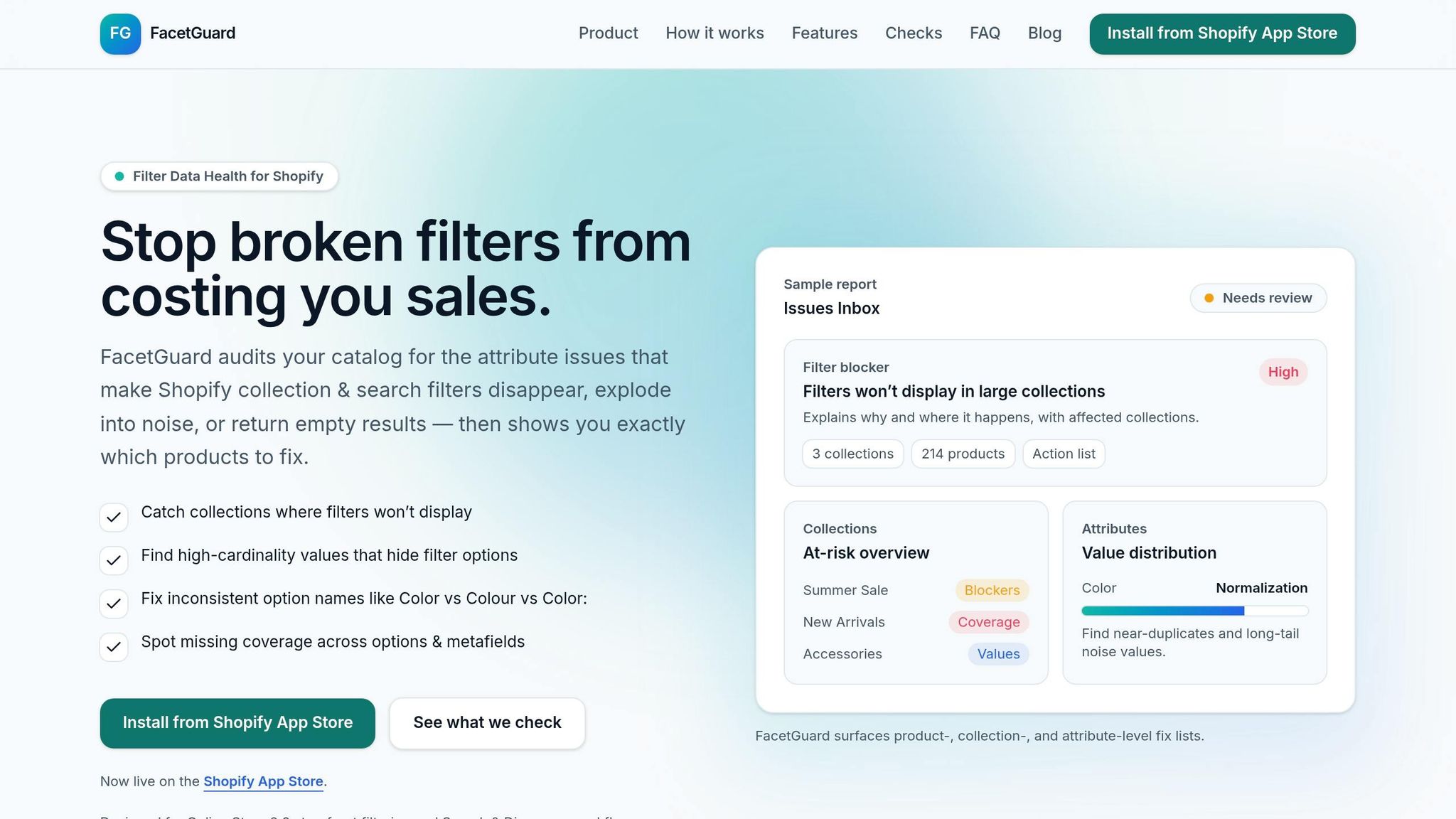
FacetGuard takes the groundwork of scheduled audits and pre-designed templates to the next level by automating consistency checks, making catalog management much more efficient. Instead of manually tracking thousands of attribute-related issues, FacetGuard provides a prioritized list of fixes, organized by their severity and potential impact.
Filter Blocker Detection and Audits
One of FacetGuard's standout features is its ability to identify filter blockers - collections where filters fail to appear. This issue often arises when products are missing required metafields or when attribute data doesn't align with schema rules. FacetGuard's Filter Blockers Scanner pinpoints these problematic collections and provides clear explanations, whether the issue stems from missing metafields, schema mismatches, or an overload of unique values.
The tool also uncovers dead-end filter combinations - those frustrating scenarios where shoppers apply filters only to find zero results. By analyzing user interactions and result data, FacetGuard highlights problematic attribute combinations that could be driving shoppers away before they complete their purchase. This automated detection naturally supports efforts to maintain consistent naming across product variants.
Checking Option Name Consistency
One frequent catalog issue is value fragmentation - when the same attribute appears in multiple forms, like "100% Cotton" versus "Cotton." FacetGuard flags these inconsistencies and identifies duplicate option names that might slip past existing validations. It also highlights products missing essential facet values, such as color or size. For top-performing catalogs, aiming for an attribute completeness rate of 95% or higher for critical fields is a good benchmark.
"Inconsistent attribute values like having 'Red', 'red', and 'Crimson' for the same color fragment filters and confuse shoppers." – Lasso
FacetGuard also ensures that updates to variant names - like changing "Black" to "Graphite" - are applied consistently across the entire store. This centralized control prevents naming inconsistencies that can arise when multiple team members manage product entries over time.
Analyzing Attributes with FacetGuard Views
FacetGuard offers two primary views to help you assess your catalog's health: Collection View and Attribute View. Collection View gives a snapshot of collections with the most pressing issues, helping you quickly determine where to focus your efforts. Attribute View dives deeper, showing details like value distribution, opportunities for standardization, and cardinality concerns.
The Value Limit/Cardinality Audit is particularly helpful for identifying attributes with an overwhelming number of unique values. This often happens when free-text fields are used instead of standardized vocabularies. For instance, if your "Material" attribute lists 200 unique values due to inconsistent capitalization or spelling, FacetGuard flags these variations and suggests consolidation. You can export findings to a CSV file for bulk editing and mark issues as resolved to monitor your progress.
FacetGuard also calculates facet counts based on purchasable variants rather than parent product records. This ensures that filters only display options currently in stock. By doing so, it prevents shoppers from selecting unavailable size or color combinations, minimizing frustration and potential cart abandonment. These insights play a crucial role in maintaining attribute consistency and supporting your catalog's long-term health strategy.
Conclusion
Consistency in product attributes plays a critical role in whether shoppers trust your listings, make purchases, or even find your products in the first place. When product details are inconsistent, it creates confusion, erodes trust, and can lead to costly mistakes - like high return rates due to incorrect sizing or fit information.
To avoid these pitfalls, standardizing your metafields is essential for growth. Focus on creating canonical models with fixed keys and standardized units. Make sure data is normalized before it enters your system, and implement validation rules to catch errors early. As AvidiaTech aptly puts it:
"Your catalog won't scale because you 'extract better.' It scales because you normalize consistently."
For stores managing thousands of SKUs, tools like FacetGuard can automate the detection of issues like filter blockers or inconsistent attributes. This helps prevent zero-result searches, which can drive away 75% of users. These kinds of automated solutions are invaluable for maintaining a well-organized catalog.
A good starting point? Focus on your top five traffic-driving categories. Assign clear ownership for each attribute, and schedule regular audits to catch issues before they snowball. Consistency isn’t just about appearances - it’s the foundation that keeps everything running smoothly.
FAQs
Which product attributes should I standardize first?
When managing product data, it's important to prioritize standardizing key attributes such as units, ranges, and resolving duplicates or conflicts. These elements are crucial for maintaining consistent and accurate data, which directly impacts the reliability of storefront filtering. Problems in these areas can quickly result in broken filters or mismatched product information, creating a frustrating experience for users. By addressing these issues first, you lay a solid foundation for dependable filtering and seamless product discovery.
How do I choose the right Shopify metafield types for my attributes?
When deciding on the appropriate Shopify metafield types, think about the specific data you need to manage. For instance:
- "Date and time" works well for storing details like expiration dates or event schedules.
- "Measurement" is ideal for data such as weight, length, or other dimensional values.
- "Text" is perfect for straightforward text entries like product descriptions or notes.
Make sure to familiarize yourself with the validation rules for each metafield type. This helps maintain accurate and consistent data, which is crucial for keeping your Shopify catalog organized and reliable.
How often should I audit my Shopify catalog for attribute issues?
Regular audits play a key role in keeping product attributes consistent and ensuring your filters work as they should. While there's no set rule for how often to audit, aiming for a monthly or quarterly schedule is a solid approach. It's especially important to conduct checks after big catalog updates, the addition of new products, or major tweaks to your filtering system. These proactive measures can help you catch and resolve potential issues before they affect customer experience or store performance.