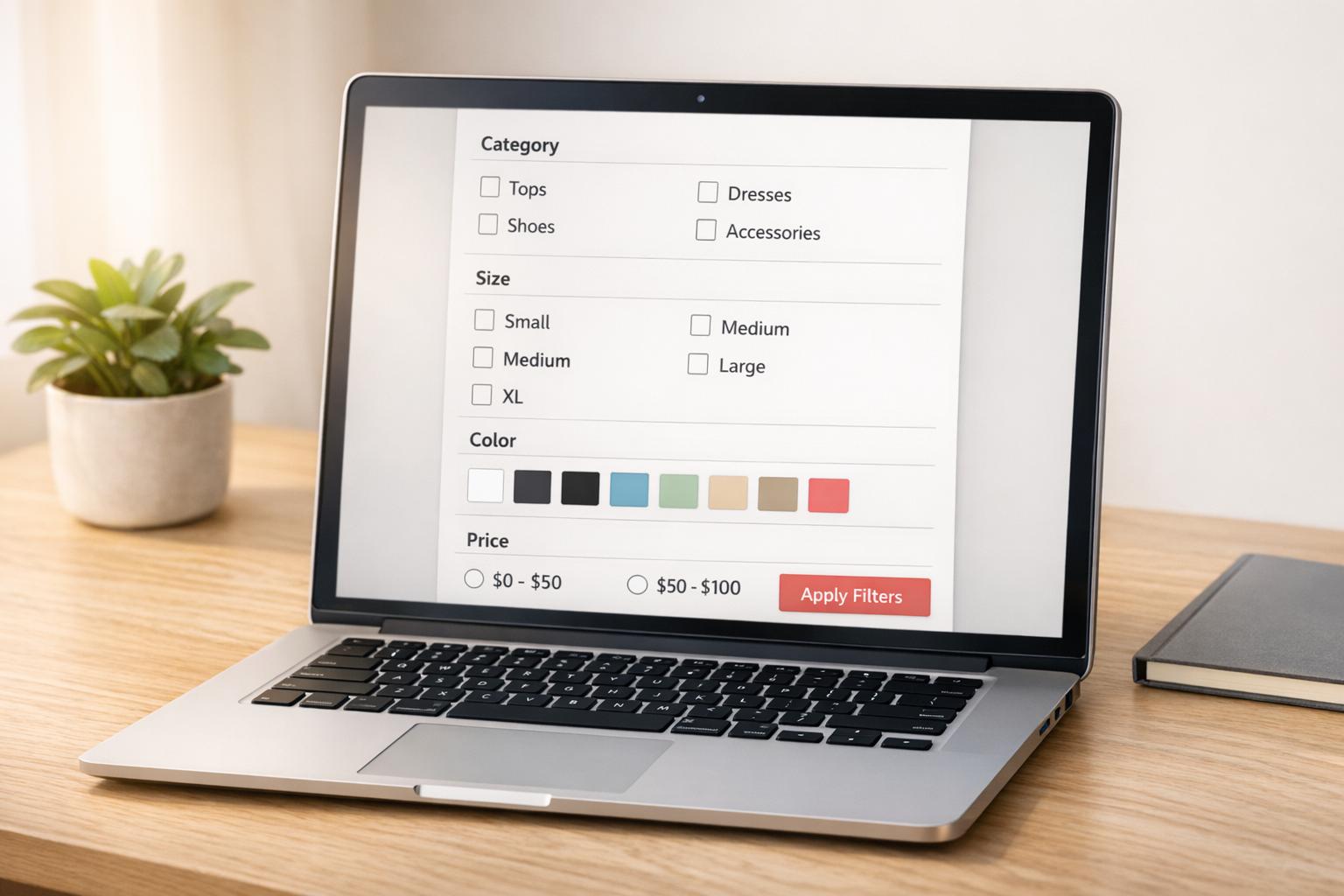
How Attribute Standards Improve Shopify Filters
Attribute standards are the backbone of effective Shopify filters. They ensure consistency in product data - like using "Medium" instead of "M" or "Med" - which helps shoppers easily find what they’re looking for. Without these standards, filters can break, create redundant options, or even disappear, frustrating customers and hurting sales.
Here’s why they matter:
- Better Filters: Standardized data prevents duplicate or missing filter options.
- Improved Search: Filters work smoothly, helping shoppers narrow down results.
- Higher Sales: Filtered searches make customers 2.3x more likely to buy.
- SEO Benefits: Clean data avoids unnecessary URLs that waste SEO resources.
Shopify’s Standard Product Taxonomy simplifies this process by offering predefined categories and attributes. Tools like FacetGuard can help maintain these standards, ensuring a seamless shopping experience and boosting conversions.
Key Takeaway: Consistent product data is essential for functional filters, better navigation, and higher sales.
Understanding Attribute Standards in Shopify

Clear and consistent attribute standards are essential for optimizing filter functionality in Shopify. These standards involve uniform rules for naming, formatting, and applying product data across your catalog. For example, sticking to a single term like "red" for color ensures uniformity. This consistency prevents fragmented descriptors, ensuring filters display properly and return accurate results every time they’re used.
When you assign products to categories within Shopify’s taxonomy, you gain access to category metafields - specific attributes like "neckline", "sleeve length", or "fabric" tied to particular product types. These metafields form the backbone of your store’s filtering system.
Shopify's Standard Product Taxonomy
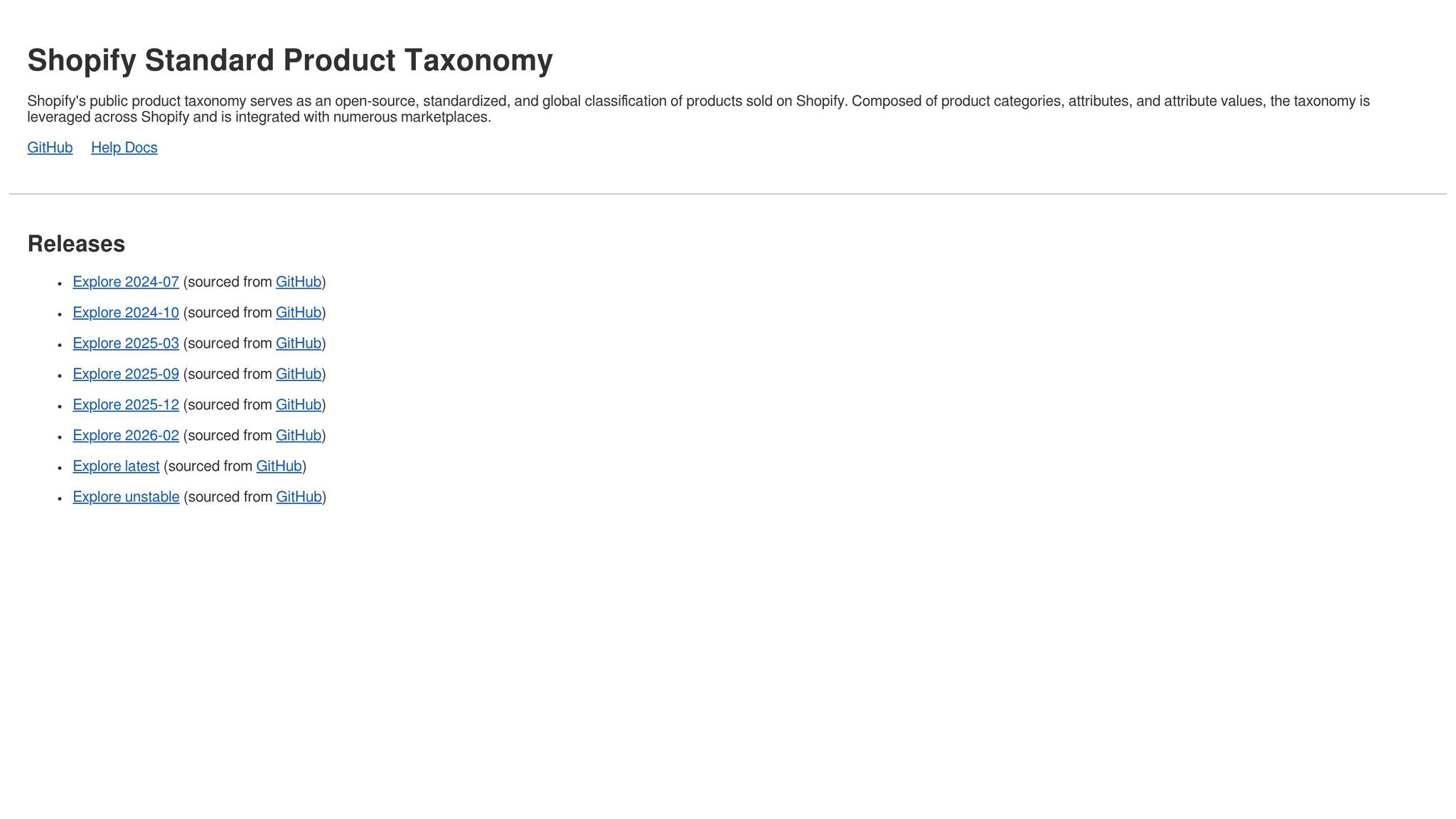
Shopify's Standard Product Taxonomy is a classification system featuring over 10,000 product categories and more than 1,000 associated attributes. Spanning 26 industries, it covers everything from apparel to electronics to home goods. Assigning a product to a category - like Apparel & Accessories > Clothing > Clothing Tops > Shirts - automatically suggests relevant attributes such as "collar type" or "fit".
This taxonomy simplifies attribute management by providing predefined values for common product features, reducing the need for merchants to create their own variations. Beyond your store, these standards align with external platforms like Google, Facebook, and Instagram, which rely on their own taxonomies. As Agatha Krajewski, Shopify’s Vice President of Product, explains:
"A product taxonomy is the underlying model that ties a lot of this data together... It powers everything from on-site search and filters to how items are displayed on platforms like Google or our Shop app."
Shopify’s taxonomy is regularly updated, with the latest version released in February 2026. Merchants can create up to 25 filters for their storefronts, making it crucial to select the right attributes from the start. This structured system directly impacts how filters function, as discussed in the next section.
How Attribute Standards Affect Filter Performance
Adhering to attribute standards is key to avoiding filter fragmentation and missing results. For example, using inconsistent terms like "M", "Med", and "Medium" for the same size creates redundant filter options, splitting products across multiple selections instead of grouping them together. Similarly, tagging a product as "Blue" without defining "Blue" in variant options or metafields can result in the product not appearing when filtered by color. Inconsistent attributes confuse shoppers and weaken the overall filtering experience.
Modern Shopify themes (Online Store 2.0) prioritize variant options and metafields over older tagging methods. Relying on outdated practices can lead to filters that fail to display or return incomplete results.
Consistent attributes also enable advanced features. For instance, standardized color attributes can display as visual swatches on compatible themes, making it easier for shoppers to browse options. Accurate attributes also play a role in tax calculations at checkout through Shopify Tax, which depends on proper product categorization.
Here’s a quick look at common filter issues caused by inconsistent attributes:
| Filter Issue | What Happens | Why It Happens |
|---|---|---|
| Visibility Blocker | Filters disappear entirely | Collection exceeds 5,000 products or search results exceed 1,000 |
| Cardinality Explosion | Filter list is cluttered or hidden | Too many unique attribute values (e.g., 100+ unique colors) |
| Normalization Error | Duplicate filter headings appear | Inconsistent naming like "Size" vs "size " |
| Coverage Gap | Products missing from filtered results | Metafields or variant options not filled out for all items |
These examples highlight why maintaining consistent attribute standards is essential for creating a seamless and effective filtering system in Shopify.
sbb-itb-e8e54fb
Filter Problems from Inconsistent Attributes
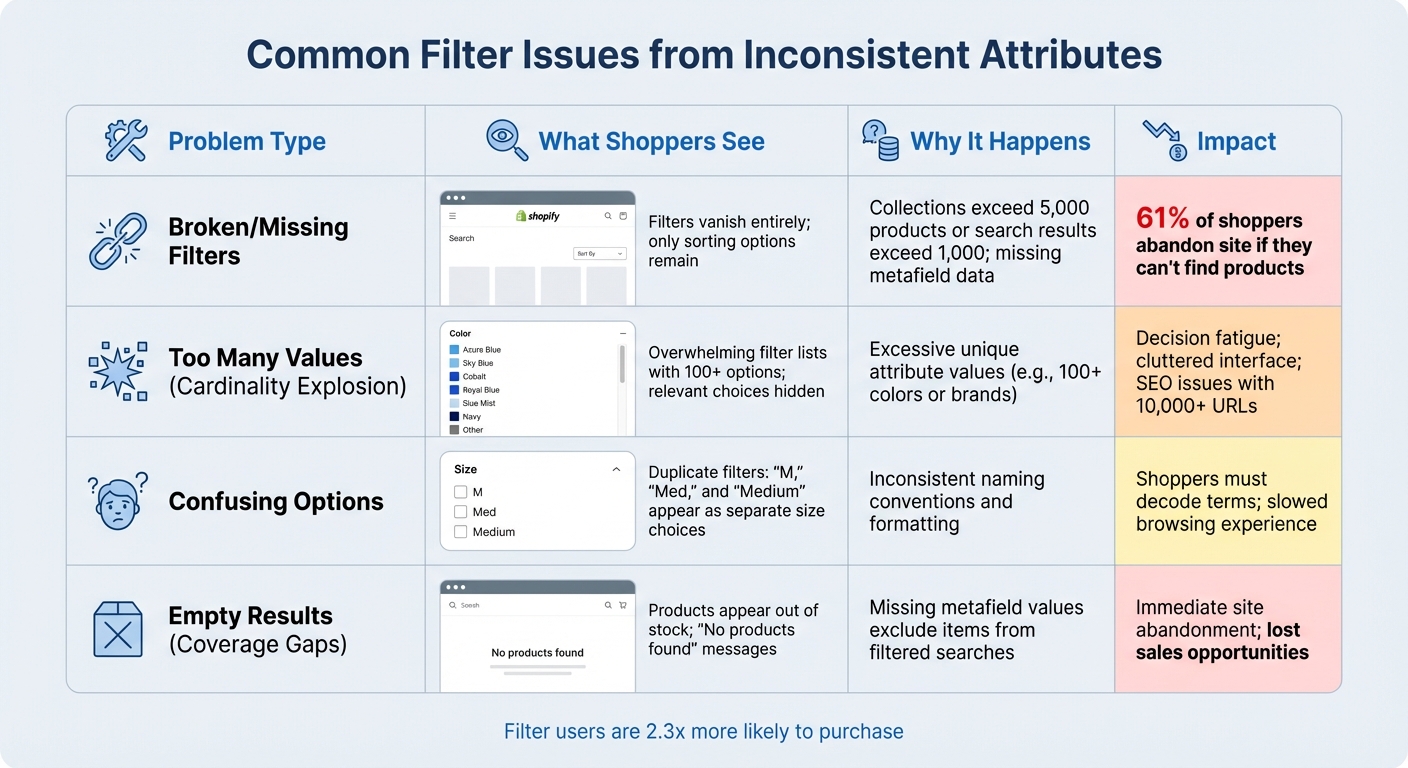
Common Shopify Filter Issues Caused by Inconsistent Product Attributes
Inconsistent attribute standards can quietly wreak havoc on your store's filters. While standardized attributes improve filter functionality, failing to meet these standards creates subtle but frustrating issues. These problems don't generate error messages; instead, they make your storefront feel "off", leaving shoppers annoyed and unable to find what they need. In fact, 61% of shoppers will abandon an e-commerce site within seconds if they can't locate what they're looking for. Often, broken filters are to blame.
Broken and Missing Filters
When your product collections grow too large or search results get overwhelming, filters can disappear entirely. This leaves shoppers stuck with basic sorting options and endless scrolling. Another issue arises with coverage gaps - products missing metafield values become invisible in filtered searches. For example, a shopper filtering for "cotton" shirts won't see items missing that fabric attribute, even if those products are in your catalog. Over-filtering can also lead to dead-ends. Selecting multiple criteria might return "No products found", which often causes shoppers to leave your site immediately.
Too Many Attribute Values
A cardinality explosion occurs when an attribute has an excessive number of unique values - think dozens of brand names or hundreds of color shades. Since Shopify limits filter displays to a maximum of 100 values, too many options can either hide relevant choices or overwhelm shoppers with cluttered lists. This overload increases mental effort and causes decision fatigue. From an SEO perspective, filters can also create problems by generating thousands of unique URLs. For instance, just 4 facets with 10 options each can result in over 10,000 URLs. This bloats your crawl budget, prompting search engines to overlook your most important pages.
Confusing Filter Options
Inconsistent naming conventions split your product coverage across duplicate filters. For instance, using "Color", "Colour", and "Color:" creates three separate filter groups when you only need one. Similarly, variations like "M", "Med", and "Medium" appear as distinct size options instead of grouping together. Duplicate concepts - such as having both "Fit" and "Cut" as separate filters - force shoppers to decode terms, which slows down their experience. As DevCommerce aptly puts it:
"The moment they have to pause and decode terms, the whole thing slows down".
Variant-level confusion adds yet another challenge. A single product with Red and Blue variants can create messy intersections in search results if attributes aren't standardized. These issues highlight the importance of maintaining strict attribute standards, as will be discussed in the following sections.
| Problem Type | What Shoppers See | Why It Happens |
|---|---|---|
| Broken/Missing | Filters vanish; only sorting remains | Collections exceed 5,000 products or data is missing |
| Too Many Values | Overwhelming lists; hidden options | More than 100 unique values for an attribute |
| Confusing Options | "M", "Med", and "Medium" as separate choices | Inconsistent value formatting |
| Empty Results | Products seem out of stock | Missing metafield values exclude items |
Benefits of Implementing Attribute Standards
Tackling the challenges caused by inconsistent product attributes can transform your storefront. Once standards are in place, the results are clear: smoother navigation, better search functionality, and improved SEO. All of this leads to higher conversions and a better shopping experience.
More Accurate Filters
When attribute values are consistent, filters become far more effective. Unified naming - like standardizing "M", "Med", and "Medium" into a single "Medium" option - keeps filter lists clean and logical. This makes it easier for shoppers to sort by price or size without dealing with chaotic, alphabetical lists. Properly structured filters also ensure no products are left out due to missing or inconsistent data. And the payoff? Advanced filtering systems can increase sales by up to 20%.
Better Search and Navigation
Standardized attributes do more than just clean up filters - they make search smarter. By reducing fragmentation, they align search results with customer intent. For instance, a search for "Christmas" can bring up red and green products because the system understands the connection between the holiday and these colors. Using Shopify's Standard Product Taxonomy, which includes thousands of categories and attributes, takes this a step further by improving search accuracy. Breaking down broad categories into sub-collections - like "Running Hoodies" instead of just "Hoodies" - also helps shoppers find what they need faster.
As Brian Massey from The Conversion Scientist explains:
"The words that you pick and the order that you put them in for the top navigation really can have a significant impact on all visitors".
SEO and Site Performance Benefits
Clear, structured data doesn’t just help shoppers - it’s a win for SEO, too. Search engines prioritize organized metafield data over random tags, which boosts your site's relevance. Standardized attributes prevent "crawl chaos", where search engines waste resources on indexing unnecessary filter combinations, allowing them to focus on your most valuable pages. You can even create high-intent landing pages from specific filter states, like "linen shirts", while blocking low-value combinations with noindex tags.
The technical benefits are measurable: effective filtering can cut bounce rates by up to 35%, and AJAX-based filtering drives a 40% increase in filter usage. Plus, faster loading filters mean fewer abandoned carts - every second of delay reduces conversions by 7%. In short, clean and efficient filters don’t just enhance the user experience - they directly boost your bottom line.
How to Create Attribute Standards for Your Store
Creating attribute standards for your Shopify store might seem like a daunting task, but breaking it down into smaller, actionable steps makes it manageable. The process involves reviewing your current setup, establishing clear rules, and then tidying up your data. Let’s dive into each phase.
Review Your Current Attributes
The first step is to take a close look at your product categories and attributes. Every product needs a proper category from Shopify's Standard Product Taxonomy. Without one, products default to "uncategorized", which limits their attributes and discoverability. Use Shopify's bulk editor to identify and reassign uncategorized products. Shopify’s taxonomy is extensive, so you’re likely to find a suitable category for every product.
Next, check for gaps in attribute coverage. Missing metafield values or options can prevent products from showing up when customers use filters. Look out for inconsistencies in naming, like variations of the same color ("Navy", "Dark Navy", and "Navy Blue"), as these can clutter filters. Also, evaluate value cardinality to ensure there aren’t too many unique values for a single attribute.
Here’s a quick guide to streamline your review:
| Review Task | Tool | Objective |
|---|---|---|
| Category Audit | Shopify Admin > Products | Identify and assign categories to "uncategorized" products |
| Metafield Review | Settings > Metafields | Migrate custom fields to standard definitions for better app compatibility |
| Consistency Check | FacetGuard / CSV Export | Spot near-duplicate names (e.g., "Size" vs. "Sizing") |
| Cardinality Check | FacetGuard / Search & Discovery | Address attributes with excessive unique values to streamline filters |
| Coverage Check | FacetGuard / Collection View | Find products missing key filter attribute values |
Once you have a clear understanding of your current data, you’re ready to establish definitive naming and formatting rules.
Create Naming and Format Rules
Now that you’ve identified gaps and inconsistencies, it’s time to standardize your data. Start by using Shopify’s standard metafield definitions, which are designed for compatibility across apps and themes. These definitions include reserved namespaces like "descriptors", "facts", and "reviews". Assigning products to specific categories (e.g., "Apparel & Accessories > Clothing > Shirts") unlocks associated metafields with attributes like "size", "neckline", and "color".
For attributes not covered by Shopify’s standards, create custom namespaces and keys. Group related attributes under a consistent namespace, such as "technical_specs" for attributes like "weight" and "material." Choose the appropriate data type - like "integer", "decimal", or "date" - instead of defaulting to "single_line_text." This allows for advanced filtering, such as conditions like "greater than" or "less than".
To make the process easier for your team:
- Use the description field for internal guidance. For example, include instructions like "Enter the date in MM/DD/YYYY format" to ensure accurate data entry.
- Set up input validations to enforce rules automatically, such as character limits or numerical ranges.
Clean Up and Validate Your Data
With your rules in place, it’s time to clean and validate your data. Start by normalizing naming conventions to fix inconsistencies. Export a CSV of products with attribute issues and address major "filter blockers" in bulk to simplify your catalog.
Take advantage of Shopify Magic to speed things up. This AI-powered tool suggests product categories and attribute values based on product names, descriptions, and images. Additionally, consider transitioning from tags to metafields for a better-structured data system. Metafields allow for specific data types, which support range-based filter logic. To maintain consistency, pin frequently used metafield definitions in the Shopify admin so they’re always visible during product entry.
Agatha Krajewski, Product Lead at Shopify, highlights the importance of this process:
"Shopify's Standard Product Taxonomy improves and speeds up the way you create and classify products, makes it easier to sell cross-channel, and most importantly, drives more discoverability of your products."
Finally, keep your data clean by regularly monitoring for uncategorized items. Check your product list for any new additions or CSV imports that might need mapping, and run automated audits to catch issues before they impact your customers.
Using FacetGuard to Maintain Attribute Standards
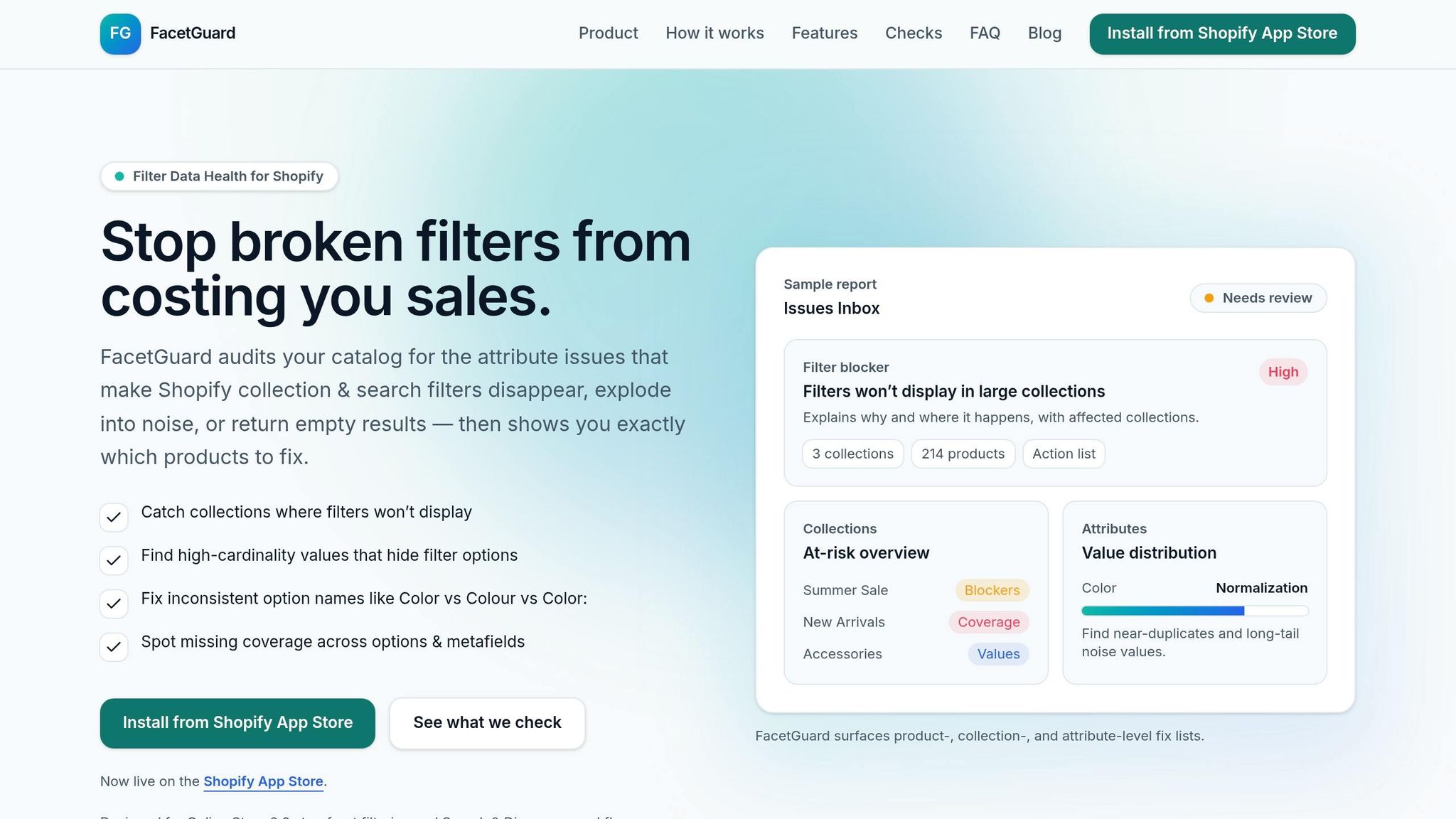
Once you've set up your attribute standards and cleaned your data, the next hurdle is ensuring consistency as your product catalog expands. Managing this manually becomes unrealistic when you're dealing with hundreds - or even thousands - of products. New imports and team contributions can easily introduce inconsistencies, making automation essential.
FacetGuard's Attribute Management Tools
FacetGuard, launched on January 13, 2026, is designed to audit Online Store 2.0 filtering and Search & Discovery workflows. It offers a suite of tools to identify and address attribute issues before they impact your customers.
The Issues Inbox acts as your central hub, presenting a prioritized list of filter-related data problems. Each issue is flagged with its severity and the affected collections or products, helping you focus on the most pressing concerns first. For deeper analysis, the Filter Blockers Scanner identifies collections where Shopify's size thresholds cause filters to vanish - a subtle but serious issue that leaves shoppers with only sorting options.
For a closer look at specific fields, the Attribute View helps you spot normalization issues, such as "Color" versus "Colour" or duplicate entries caused by case sensitivity. Meanwhile, the Collection View highlights categories delivering a less-than-ideal user experience, pinpointing the products most responsible for the problem.
FacetGuard also identifies coverage gaps by calculating the percentage of products missing required options or metafield values. It provides detailed lists of items needing updates. Additionally, cardinality audits flag attributes with an overwhelming number of unique values - often referred to as "long-tail noise" - that clutter filters with one-off entries.
| Feature | What It Does | Why It Matters |
|---|---|---|
| Issues Inbox | Displays a prioritized list of data errors | Keeps your team focused on critical filter problems |
| Filter Blockers Scanner | Detects visibility thresholds causing filters to disappear | Prevents filters from vanishing on large collections |
| Attribute View | Analyzes normalization across fields | Fixes issues like "Med" vs "Medium" |
| Collection View | Assesses risk on a per-collection basis | Highlights categories needing immediate attention |
| Exports | Generates CSV files of affected products | Simplifies bulk updates for large catalogs |
How FacetGuard Saves Time and Improves Filters
FacetGuard goes beyond just identifying issues - it simplifies the entire process of catalog maintenance. Instead of relying on manual audits, it generates precise, product-level action lists that pinpoint the exact variants causing problems. You can export these lists as CSV files, making it easy to perform bulk updates using Shopify's built-in tools or other bulk editors.
Automated scans ensure that your attribute standards are consistently upheld. These scans run after bulk product imports, catching issues like naming inconsistencies or missing metafields before they affect your storefront. Alerts notify you immediately of any new problems, enabling quick resolutions.
FacetGuard also includes workflow controls, allowing you to mark issues as "ignored" or "resolved" to keep your Issues Inbox focused on actionable items. For headless or API-driven storefronts, it offers implementation-aware checks that flag metafield schema decisions that could hinder filter functionality.
With read-only audits and least-privilege permissions, FacetGuard focuses exclusively on catalog attributes. Best of all, it’s currently available for free on the Shopify App Store. This means you can access these monitoring and management tools without adding to your software expenses. Next, learn how to track improvements in filter performance after implementing FacetGuard.
Measuring Filter Improvements After Implementation
Once you've standardized your data, it's time to measure the impact. By focusing on key filter metrics and conducting before-and-after audits, you can clearly see how your filters are performing.
Key Filter Performance Metrics
- Filter Display Rate: This is the percentage of collections where filters are visible. Shopify's size thresholds can block filters in large collections (1,000+ products), so your target should be 100% visibility across all collections.
- Attribute Coverage: This measures how many products include essential attributes like "Color" or "Size." For instance, if only 60% of your products have a "Material" value, your filter results may feel incomplete. Aim for 90% or higher coverage on these key attributes.
- Value Cardinality: This refers to the number of unique attribute values. Cleaning up redundant entries (e.g., merging "Red", "RED", "red", and "Crimson" into one standard "Red") can make filters more user-friendly and reduce clutter.
- Zero-Result Rate: This tracks how often filter combinations return no results. High zero-result rates frustrate shoppers and lead to abandonment. After implementing standards, aim to bring this rate close to zero.
- Filtered Conversion Rate: This measures how many shoppers using filters go on to make a purchase. Studies show that filter users are 2.3 times more likely to convert than those who browse randomly. On mobile, this jumps to 3.8 times. Compare these rates before and after cleanup to assess the revenue impact.
"Customers who use filters are 2.3 times more likely to complete a purchase compared to those who browse randomly." - The Conversion Bible
Other metrics to watch include add-to-cart rates during filtered sessions and bounce rates on collection pages. Effective filtering can reduce bounce rates by up to 35%.
Before and After Comparisons
With these metrics in hand, conduct baseline and post-implementation audits to measure progress. As previously discussed, inconsistent attributes can lead to broken filters and cluttered options. These audits confirm whether your cleanup efforts are working.
Start by documenting key data points like error rates, missing filters, attribute coverage percentages, and unique value counts per attribute. This baseline serves as your "before" snapshot.
After implementing the changes, repeat the audit using the same criteria. Pay special attention to large collections with high product counts, as these are more likely to experience filter issues. Since collection pages account for 30% to 40% of total organic traffic for most Shopify stores, improvements here can significantly impact overall performance.
For example, merging fields like "Color" and "Colour" can eliminate redundant options and improve filter accuracy. Addressing product data errors can prevent losses - such errors can cause a 23% drop in clicks and a 14% decline in conversions.
To analyze filter usage, review Shopify's URL parameters in Google Analytics 4. Compare filter usage rates from the month before implementation to the month after to gauge success.
Lastly, schedule regular automated scans after product imports. New inventory uploads can reintroduce inconsistencies, so ongoing monitoring is critical.
| Metric | What to Measure | Success Indicator |
|---|---|---|
| Filter Display Rate | Percentage of collections showing filters | 100% visibility across all collections |
| Attribute Coverage | Percentage of products with core attribute values | 90%+ coverage for attributes like Size, Color, Material |
| Unique Values | Number of distinct values per attribute | Reduction in redundant or duplicate values |
| Zero-Result Rate | Percentage of filter combinations returning no products | Near 0% after cleanup |
| Filtered Conversion Rate | Conversion rate for shoppers using filters | 20–25% improvement over baseline |
| Bounce Rate | Percentage of visitors leaving after one page | Up to 35% reduction |
Conclusion
Attribute standards aren't just about tidying up your product data - they're the backbone of reliable filter performance. By standardizing naming conventions, removing redundant values, and ensuring your catalog has full coverage, you can avoid the hidden problems that cause filters to malfunction or disappear entirely. This matters because 61% of shoppers will leave your site within seconds if they can't find what they need. Often, inconsistent attributes are the silent troublemakers behind these issues.
But the benefits go beyond usability. Clean attribute standards improve search accuracy, protect your SEO from unnecessary URLs, and boost conversions. Here's a key stat: shoppers who use filters are 2.3 times more likely to complete a purchase compared to those who browse aimlessly. However, these benefits only materialize when filters provide accurate and relevant options.
Experts reinforce this point:
"Consistency is not cosmetic. It's structural. Without consistent naming, your Shopify product data structure becomes unpredictable."
– Performantcode.io
To tackle these challenges, tools like FacetGuard step in. FacetGuard identifies visibility blockers, high-cardinality noise, and gaps in coverage, giving you prioritized fix lists so you can address issues in bulk instead of manually combing through thousands of products. The app, available for free on the Shopify App Store as of early 2026, is specifically built for Shopify's Search & Discovery workflows and Online Store 2.0 filtering.
Once you've established strong attribute standards, the hard part is done. Regular scans and monitoring key metrics will help you maintain these improvements. Treat your product data as a strategic asset - it directly impacts your filters and, ultimately, your conversion rates. With robust attribute standards in place, every part of your Shopify storefront, from filtering to sales, sees the benefits.
FAQs
Which product attributes should I standardize first?
To enhance filter functionality and improve the shopping experience, it's important to standardize key attributes like color, size, and material. These are some of the most commonly used filters, but they can be undermined by inconsistent naming conventions (e.g., "Color" vs. "Colour") or overly complex value sets. Addressing these inconsistencies ensures filters work more accurately and makes browsing smoother for customers.
Why do Shopify filters disappear on some collections?
Filters on Shopify collections can sometimes vanish, and the root cause often lies in product attribute issues. This can happen due to several reasons, such as:
- Missing attributes that filters rely on.
- Inconsistent naming for options across products.
- Excessively varied (high-cardinality) attribute values.
- Collections that aren't compatible with filters.
These problems typically stem from catalog attribute errors. To fix this, you can use auditing tools designed to identify and resolve these attribute-related issues. This ensures your filters function correctly across your storefront.
How can I find and fix inconsistent attribute values fast?
You can easily spot and correct inconsistent attribute values with tools like FacetGuard. This tool reviews your catalog for problems like mismatched option names (e.g., Color vs. Colour), excessive variations in values, and gaps in options or metafields. By offering prioritized fix lists for products, collections, and attributes, it streamlines the process of resolving these issues, ensuring your Shopify collections and search filters remain accurate and effective.