
How Filter Logic Affects Shopify Search Results
When customers search on Shopify, filter logic determines what products they see. The system uses AND/OR rules to narrow or expand results:
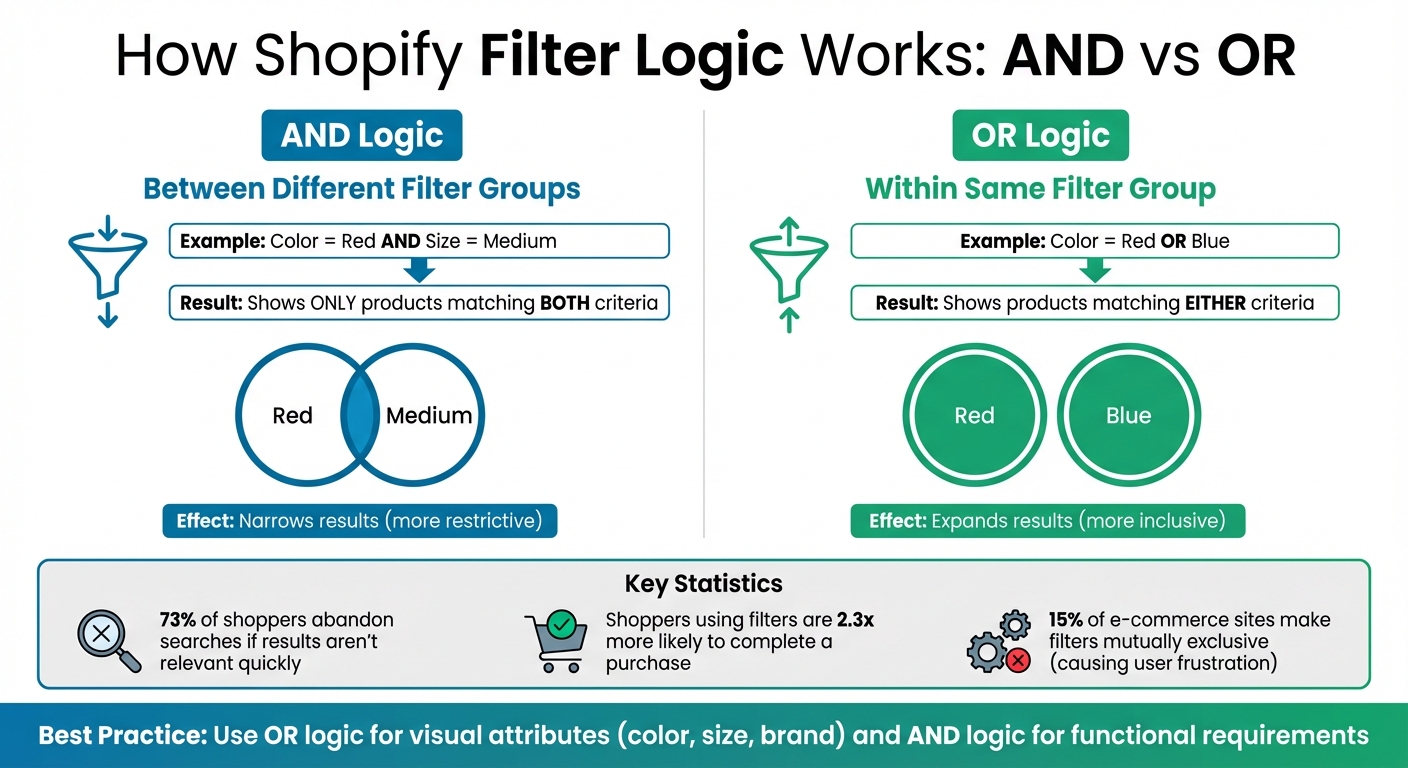
- AND logic applies between different filter groups (e.g., "Red" AND "Medium" shows only products matching both criteria).
- OR logic applies within the same group (e.g., "Red" OR "Blue" shows products matching either color).
This structure shapes how users find products and impacts sales. For example, 73% of shoppers abandon searches if results aren't relevant quickly. Proper filter setup avoids "No products found" errors, improves search accuracy, and makes shopping smoother. Key points include:
- Filters can be customized using Shopify's Search & Discovery app.
- Data consistency (e.g., uniform size or color labels) is essential for functional filters.
- Over-filtering or too many options can overwhelm users, especially on mobile.
- SEO risks arise from excessive filter-generated URLs, which can harm site indexing.
To improve filter performance, monitor metrics like conversion rates, zero-result rates, and filter usage. Tools like FacetGuard can help identify and resolve filter issues, ensuring filters work effectively for both customers and search engines.
Shopify Filter Logic: AND vs OR Rules Explained
[Shopify Filters] How To Create Filters in Shopify (Collection filters, custom filters)

sbb-itb-e8e54fb
How Shopify Processes Filter Logic in Search
When customers apply filters on your Shopify store, the platform uses specific logic to determine which products are displayed. Understanding this process is key to creating a smooth search experience that helps shoppers find what they need quickly.
Default AND Logic and Its Impact
Shopify applies AND logic when customers select filters from different categories, such as "Red" and "Large." This means only products that meet all selected criteria will appear in the results.
"Choosing filter values from different filters is an and condition that can decrease the number of products displayed." - Shopify
While this approach narrows down the product list, making it easier for customers to find highly specific items, it can also be too restrictive. For instance, 73% of online shoppers abandon their search if they can't find what they're looking for quickly. Additionally, 15% of e-commerce sites make filters mutually exclusive, forcing users to restart their search if they can't combine values. This over-filtering often leads to "No products found" pages, which can frustrate shoppers and hurt conversion rates.
On mobile, the problem compounds as users need to repeatedly open and adjust the filter interface. To ease this friction, displaying product counts next to each filter option can help customers avoid zero-result combinations.
On the other hand, Shopify uses OR logic within a single filter category, which broadens search results and offers a different kind of customer experience.
Customizing OR Logic for Broader Results
When customers select multiple options within the same filter category - like "Red" and "Blue" - Shopify applies OR logic, showing products that match either option.
"Choosing filter values from the same filter is an or condition that can increase the number of results." - Shopify
Merchants can tweak this behavior using the Shopify Search & Discovery app. For example, you can change filters like product tags, metafield lists, and metaobject reference lists from OR to AND logic. This is useful for strict requirements, such as displaying products that are both "Certified Organic" AND "Vegan." However, this level of filtering should be used selectively. Data shows that shoppers using filters are 2.3 times more likely to complete a purchase compared to those who browse randomly.
For most cases, it's best to keep OR logic for visual attributes like color, size, and brand. This allows customers to explore multiple preferences in one go, such as viewing all shirts available in both Medium and Large sizes without performing separate searches. Save AND logic for functional requirements where products must meet all criteria at once, ensuring a balance between precision and usability.
Common Filter Logic Issues and Their Effects
Even when filter logic is technically correct, Shopify merchants often face challenges that harm search performance. These problems interfere with product discovery, a critical aspect of online shopping. They typically arise from inconsistent data, poorly designed filters, or technical missteps that accumulate over time.
Filter Overuse and User Friction
Too many filter options can overwhelm customers. Studies indicate that offering 5–7 primary filters strikes the right balance - enough to guide shoppers without causing decision paralysis.
"When filter options cannot be combined, users are effectively prevented from seeing all relevant products matching their needs." – Iva Olah, UX Researcher, Baymard Institute
Mobile users, in particular, face added friction. Small touch targets can lead to accidental taps, creating frustration. On top of that, excessive filters generate thousands of unique URLs, which can overwhelm search engine indexing. Without proper crawl management, search engines may focus on these low-value pages instead of prioritizing important product and collection pages.
But filter overuse isn’t the only issue - data inconsistencies often make filtering even harder.
Tag and Metafield Conflicts
Inconsistent data entry is a common culprit behind filter failures. For example, variations like "M", "Med", and "Medium" for sizes - or "Red" versus "Crimson" for colors - can cause filters to miss relevant products.
In June 2024, WMGuitars experienced a problem with tag-based filters using AND logic. These filters failed to automatically remove irrelevant options, requiring a manual page refresh. While metafield-based filters worked seamlessly, the tag filters needed a theme update to enable dynamic refresh functionality.
Another challenge arises when the same attribute - such as size or color - is stored in multiple places, like product tags, product metafields, and variant metafields. This creates operational headaches, as updates must be made in multiple locations. If any of these updates are missed, customers may encounter conflicting information.
Collection-Specific Filter Failures
Filters can also behave unpredictably within specific collections. For instance, when merchants configure filters with AND logic and hide empty values, certain filters might disappear entirely if no products in that collection meet the criteria. This issue is particularly troublesome in seasonal or promotional collections, where product availability often changes.
In May 2025, Optimum7 conducted a technical SEO audit for a Shopify Plus store with 9,000 SKUs. The site had over 120,000 indexed URLs due to unmanaged filter parameters, leading to crawl bloat and keyword cannibalization. By applying proper canonical tags and noindex directives, they reduced the indexed URLs to 14,000. This change significantly improved user behavior: the category bounce rate dropped from 62% to 41%, and the average time on page increased from 42 seconds to 1 minute and 17 seconds.
"Filtering doesn't just risk SEO. It can destroy it quietly and at scale." – Duran Inci, CEO, Optimum7
Research Findings: Filter Logic and Product Discovery
Recent research sheds light on the measurable impact of filter logic on product discovery and sales, emphasizing how critical it is to get this element right.
How Filter Logic Affects Product Discovery
Studies show that poorly designed filter logic can reduce product discovery by 15-25%, while well-optimized filtering systems can boost sales by as much as 20%. For mid-sized businesses, this could mean thousands of dollars in lost or gained revenue.
The way filters influence user behavior is even more telling. Shoppers who engage with filters are 2.3 times more likely to make a purchase compared to those who browse without using them. However, this effectiveness depends heavily on how well the filtering system aligns with shopper expectations. For instance, when filters are set up as mutually exclusive - allowing only one option at a time - users are forced into a frustrating cycle of constant adjustments.
"The underlying filtering logic at some e-commerce sites misaligns with how users expect filters to work." – Iva Olah, UX Researcher, Baymard Institute
The problem is even worse for mobile users. On smaller screens, poor filter logic means repeatedly opening and closing filter menus to make changes, creating a clunky and time-consuming experience. Shockingly, 15% of e-commerce sites still fail to let users combine multiple values within the same filter type, preventing them from seeing all relevant products. This shortfall contributes to high abandonment rates: sites with poor usability see 67-90% abandonment, while those with optimized filtering keep this rate between 17-33%.
These findings highlight the importance of designing filters that meet user expectations. With these insights in mind, the next step is to track key metrics that reveal whether your filtering system is helping or hindering your store's performance.
Key Metrics to Monitor
Monitoring the right metrics can pinpoint whether your filter logic is driving sales or creating friction. The conversion rate comparison is one of the most critical metrics. Filtered traffic should convert at a much higher rate than unfiltered browsing. If not, it’s a sign that your filtering system needs improvement.
Another essential metric is the zero-result rate, which measures how often filter combinations return "No products found." A high rate here can lead to frustrated users abandoning their shopping sessions. Ideally, this rate should stay below 2-3%. Additionally, the filter interaction rate reveals whether customers are using your filters effectively. Low interaction rates suggest that filters might be hard to find, confusing, or irrelevant to shoppers’ needs.
Here’s a quick breakdown of key metrics and their targets:
| Metric | What It Reveals | Target Outcome |
|---|---|---|
| Post-Filter Conversion Rate | Whether filters help customers find and buy products | Higher than unfiltered traffic |
| Zero-Result Rate | Frequency of "No products found" filter results | Below 2-3% |
| Time to First Product Click | How quickly filters help narrow choices | Shorter is better |
| Revenue per Filtered Session | The financial value of filtered sessions | Track month-over-month growth |
The time to first product click is another valuable metric, showing how quickly users find a product after applying filters. A shorter time suggests that filters are working efficiently without overwhelming or confusing users. For stores with SEO considerations, it’s also worth keeping an eye on indexed filter URLs in Google Search Console. Too many indexed filter combinations can waste crawl budget on low-value pages.
Tools like FacetGuard can help identify and fix filter logic issues, ensuring your store’s filtering system stays effective and user-friendly.
Diagnosing and Fixing Filter Logic Issues with FacetGuard
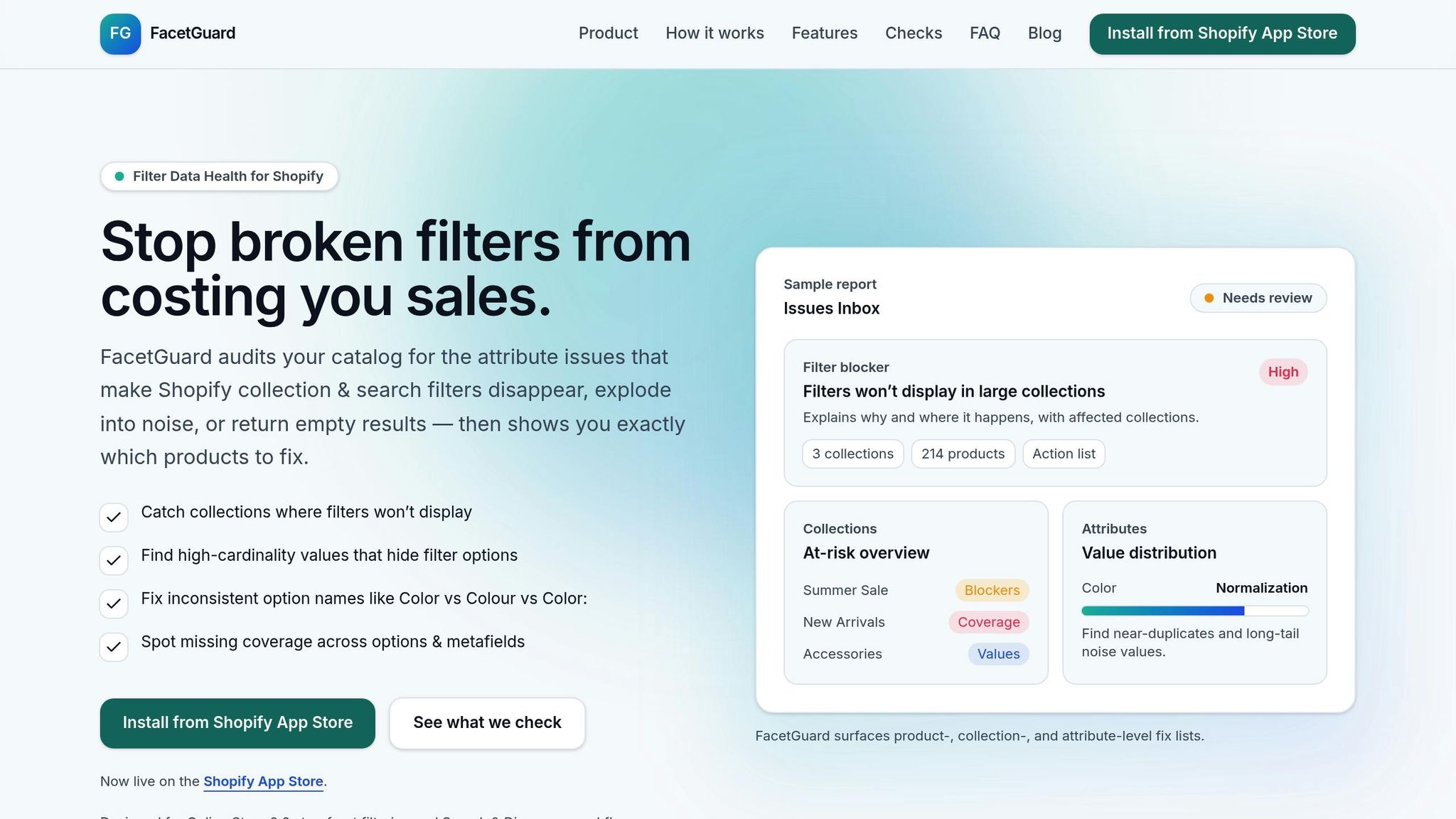
When filter logic issues start impacting your store's performance, the next step is to pinpoint the root cause. Fixing these problems is crucial for improving product discovery on Shopify, and that's where FacetGuard comes in. This tool offers a structured way to identify and resolve filter-related issues, helping you maintain a smooth shopping experience and protect your revenue.
Detecting Issues with the Filter Blockers Scanner
The Filter Blockers Scanner is designed to catch one of the most critical problems first: collections where filters completely disappear. Shopify automatically disables filters when a collection exceeds 5,000 products or when a search query generates over 100,000 results. For store owners, this means customers browsing larger collections are left without tools to narrow their choices - an experience that often leads to frustration and cart abandonment.
FacetGuard scans your entire catalog to identify these problem collections and explains why filters are missing. For instance, if you run a large apparel store and your "Women's Clothing" collection has 7,500 items, the scanner will recommend splitting it into smaller categories like "Tops", "Dresses", and "Jeans" to restore filter functionality. This simple adjustment can make a big difference for shoppers trying to find specific products.
Once those broader issues are flagged, the next step is addressing data inconsistencies that create attribute-level conflicts.
Resolving Attribute-Level Conflicts
After identifying collections with missing filters, FacetGuard digs deeper into your attribute data to uncover inconsistencies that disrupt filtering. Two key tools - the Value Limit/Cardinality Audit and Option Name Consistency checks - help resolve these data quality problems. Shopify supports up to 100 filter values per attribute and allows for 1,000 unique values per filter.
The tool spots issues like inconsistent naming conventions - think "Color" versus "Color:" or size variations such as "M", "Med", and "Medium". These inconsistencies can cause products to disappear from filtered results because Shopify treats each variation as a separate attribute. FacetGuard standardizes these values, ensuring that all relevant products appear when customers apply filters. This directly improves search accuracy and enhances the shopping experience.
Prioritizing Fixes with Actionable Exports
Once the issues are identified, FacetGuard simplifies the next steps with actionable exports. These CSV reports provide a prioritized list of affected products, variants, and collections, highlighting the areas with the biggest impact on product discovery. Instead of manually sifting through thousands of items, you can focus your efforts on the most critical fixes. This is especially important when you consider that 61% of shoppers will leave if they can't quickly find what they need.
FacetGuard’s exports integrate seamlessly with Shopify's Bulk Editor, making it easy to standardize attribute names, merge duplicate values, and fill in missing data. You can also track progress within FacetGuard's workflow, keeping everyone on the same page. This organized approach ensures that filter improvements are implemented quickly and remain effective over time, boosting your store's overall filtering performance.
Key Takeaways from Filter Logic Research
Summary of Best Practices
Getting filter logic right requires technical accuracy and clean, consistent data. Start by standardizing attribute data - this ensures filters are built on a solid foundation and avoids unnecessary redundancies.
When designing filter logic, focus on aligning with how customers think. Use OR logic within filter groups (e.g., allowing shoppers to select Red or Blue) and AND logic across groups (e.g., combining Color and Size). This setup mirrors user intent and delivers intuitive results. Always display product counts next to filter options and disable choices that would return zero results.
For mobile users, make filters easy to use by incorporating large touch targets (at least 44 x 44 pixels) and simplifying the interface. On the SEO front, protect your site by using canonical tags to point to main category pages and applying noindex tags to low-value filter combinations. Without these safeguards, a catalog with just four facets and 10 options each can create over 10,000 unique URLs, potentially overwhelming search engines.
To make filters more effective, prioritize high-value attributes like Price and Brand by placing them at the top. Long lists should be shortened after the first 10 items to avoid overwhelming users. Regular audits are essential - track which filters customers actually use and eliminate those that go unnoticed.
By following these practices and conducting routine checks, you’ll keep your filter logic optimized and user-friendly.
Next Steps for Shopify Merchants
For Shopify merchants, maintaining strong filter logic requires consistent monitoring and the right tools. Regularly audit your catalog to identify fragmented filter values, and keep an eye on indexed URLs in Google Search Console to catch SEO issues early.
Tools like FacetGuard can simplify this process. It automates scans to detect problems such as missing filters in large collections, inconsistent attribute naming, and exceeding value limits. The tool also provides prioritized CSV exports that integrate seamlessly with Shopify's Bulk Editor, making it easier to implement fixes and track progress. By addressing filter issues proactively, you’ll enhance both the customer experience and your store’s visibility in search results.
FAQs
Why do my Shopify filters show “No products found” so often?
Filters that don't work as expected often stem from misconfigured settings or inconsistent product data. For example, if attributes like size or color are missing or incorrectly assigned, the filters may fail to display matching products. Other common culprits include filters that are too restrictive, errors in attribute values, or missing product tags. To address these issues, review your product attributes carefully and ensure they are consistent. This can go a long way in improving how your filters function.
When should I use AND vs OR logic in Shopify filters?
When refining search results, AND logic helps you combine multiple criteria to narrow down options. For instance, you might filter for products by both color and size, ensuring results meet both conditions.
On the other hand, OR logic broadens your search by including items that match any value within a single filter group. For example, filtering by color options like red or blue will display products in either of those colors.
How can I stop filter URLs from hurting my SEO?
To keep filter URLs from harming your SEO, make use of canonical tags to guide search engines toward the primary, unfiltered category pages. On top of that, apply noindex tags to filtered URLs. This prevents duplicate content problems and helps preserve your crawl budget. Taking these steps ensures a more organized and efficient site structure for search engines to navigate.