
How Variant Data Impacts Shopify Search Filters
When Shopify search filters don’t work properly - like showing duplicate options, missing filters, or empty results - it’s almost always due to messy product data, not glitches. Filters rely heavily on accurate variant data (like size, color, and material), and even small inconsistencies can confuse shoppers and hurt sales. For example, Shopify treats "Small", "S", and "Sm" as completely different values, which can fragment filters and frustrate users.
Shopify’s built-in tools help create and display filters but don’t detect or fix data issues. That’s where FacetGuard comes in. It audits your catalog, flags problems like inconsistent naming or missing attributes, and organizes them into a fixable list. While Shopify handles filter creation, FacetGuard ensures the data behind those filters is clean and reliable. This combination helps prevent filter errors that could lead to bounce rates as high as 75%.
Key Takeaways:
- Shopify Filters: Automatically created but can break due to inconsistent or missing variant data.
- Common Issues: Duplicate filter options, disappearing filters, or incorrect results.
- FacetGuard’s Role: Diagnoses data problems, highlights issues, and provides a fix list without altering your live store.
By keeping your variant data clean with tools like FacetGuard, you can create a smoother shopping experience and reduce frustration for your customers.
How to use Shopify's 'Search and Discovery' app for advanced filtering options

sbb-itb-e8e54fb
1. Shopify's Native Variant Data Handling
Shopify's filtering system operates at two levels: product-level (category, tags, vendor) and variant-level (size, color, price, availability). When a shopper selects a variant-specific filter, Shopify automatically updates the featured image and URL to match the first relevant variant. This method works well when the data is consistent across the board.
Filter Accuracy
The main culprit behind filter inaccuracies isn't a system glitch - it's inconsistent data entry. For instance, Shopify treats "Small", "S", and "Sm" as entirely different values, which fragments filters and confuses customers. Similarly, a product with both Red and Blue variants might appear in results even if only one variant matches the filter criteria, leading to shopper frustration.
Shopify also imposes some hard limits that can disrupt filters. Filters are hidden if a collection exceeds 5,000 products or if a search surpasses 100,000 results. Additionally, only 100 filter values will display on the storefront, even if more exist behind the scenes.
Operational Complexity
As product catalogs expand, managing variant data manually becomes a daunting task. Merchants often face a "cardinality explosion" - a situation where an overwhelming number of unique variant values clutters the filter panel and obscures important options. Shopify also restricts products to three option dimensions and a maximum of 2,048 variants per product. These limits often force merchants to split products into multiple listings, complicating inventory management and making storefront navigation more difficult.
"Product variant modeling is the difference between a catalog that scales effectively or collapses under complexity." - Lasso
Such challenges highlight the importance of tools that can ensure data consistency and quality.
Data Quality Auditing
Shopify provides several native tools for managing data, including the Bulk Editor, CSV import/export, and the Search & Discovery app. While these tools allow merchants to make manual adjustments, they do not actively flag inconsistencies like mismatched naming (e.g., "Color" vs. "Colour"). This can result in filters disappearing or behaving unpredictably, leaving merchants to troubleshoot the issue themselves.
"Filter issues often don't look like errors - they look like 'the storefront is weird today.'" - FacetGuard
| Native Tool | What It Does | Effectiveness |
|---|---|---|
| Bulk Editor | Manual editing of products and variants | Low |
| Search & Discovery App | Configures filter sources and display logic | Medium - setup only; does not detect data gaps automatically |
| CSV Import/Export | Bulk data transfer via spreadsheets | Low - can introduce new inconsistencies |
| Metafield Definitions | Sets data types and validation rules | High for prevention; Low for auditing existing data |
Shopify's platform is primarily designed for commerce execution, not catalog health monitoring. It lacks features like built-in validation rules, approval workflows, and automated checks to catch data issues before they affect the customer experience. To make matters worse, new variant data or metafield values can take up to 24–48 hours to be indexed and appear in storefront filters.
Up next, we'll examine how FacetGuard tackles these challenges head-on.
2. FacetGuard
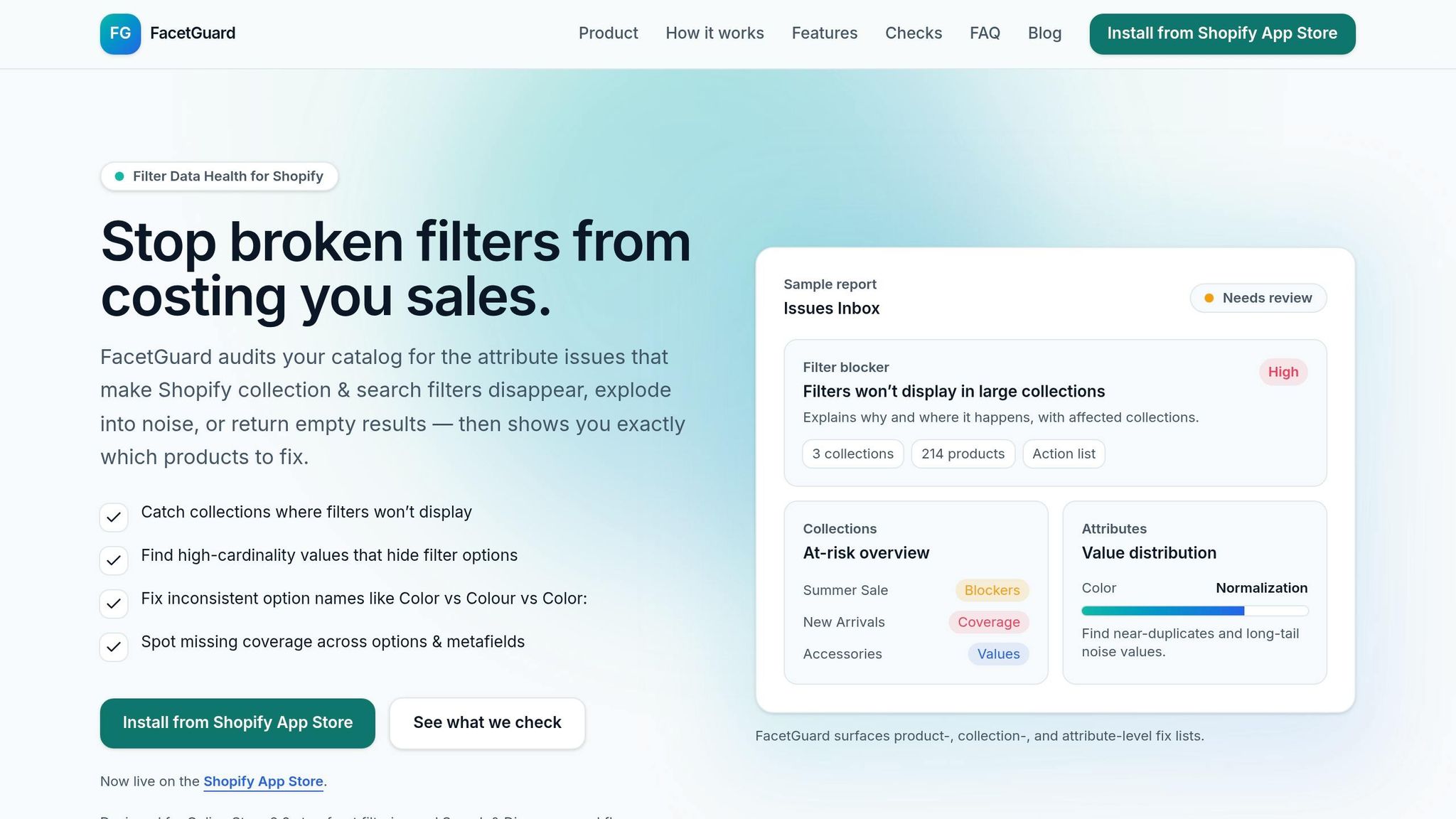
FacetGuard tackles the nagging issue of data inconsistencies that often disrupt filter accuracy. By offering diagnostic insights, it helps merchants pinpoint and address problems before they spiral into bigger challenges.
FacetGuard, introduced on January 13, 2026, is tailored for Online Store 2.0 filtering and search workflows. Its approach is strictly diagnostic - reading your catalog without altering live data - so you can identify what’s wrong without risking unintended changes.
"FacetGuard finds the catalog attribute issues that make Shopify filters messy, missing, or misleading - and gives you a prioritized fix list by product, collection, and attribute." - FacetGuard
Filter Accuracy
Shopify's built-in tools often leave merchants to manually detect filter issues, but FacetGuard automates this process. It flags near-duplicate option names caused by inconsistencies in casing, punctuation, or spacing. For example, "Color", "Colour", and "Color:" might split filter results into separate groups, creating confusion. It also catches variant-level conflicts, such as a product with both Red and Blue variants that appears in filter results for both, leading to confusing overlaps for shoppers. Additionally, it highlights coverage gaps, ensuring products missing key attributes like "Size" or "Material" don’t vanish from filtered results.
Operational Complexity
FacetGuard simplifies the process of managing filter issues with its centralized Issues Inbox, which organizes problems by severity, collection, and product. This feature allows merchants to quickly identify troublesome SKUs and export a CSV file for bulk updates, eliminating the need for manual edits. Scheduled scans ensure merchants are promptly notified of new inconsistencies after product imports or updates, making ongoing catalog management much easier.
Data Quality Auditing
FacetGuard takes its auditing capabilities further by detecting Filter Blockers, such as collections at risk of exceeding size thresholds, and addressing cardinality explosions - an issue that can bury valid filter options under a flood of unnecessary ones. For merchants using headless or API-driven storefronts, it also checks metafield types and schemas to ensure compatibility with the desired filtering behavior. The Attribute View provides a clear breakdown of value distribution for any attribute, helping merchants quickly identify which products are causing fragmented or cluttered filter options. Best of all, the app is currently free on the Shopify App Store.
Pros and Cons
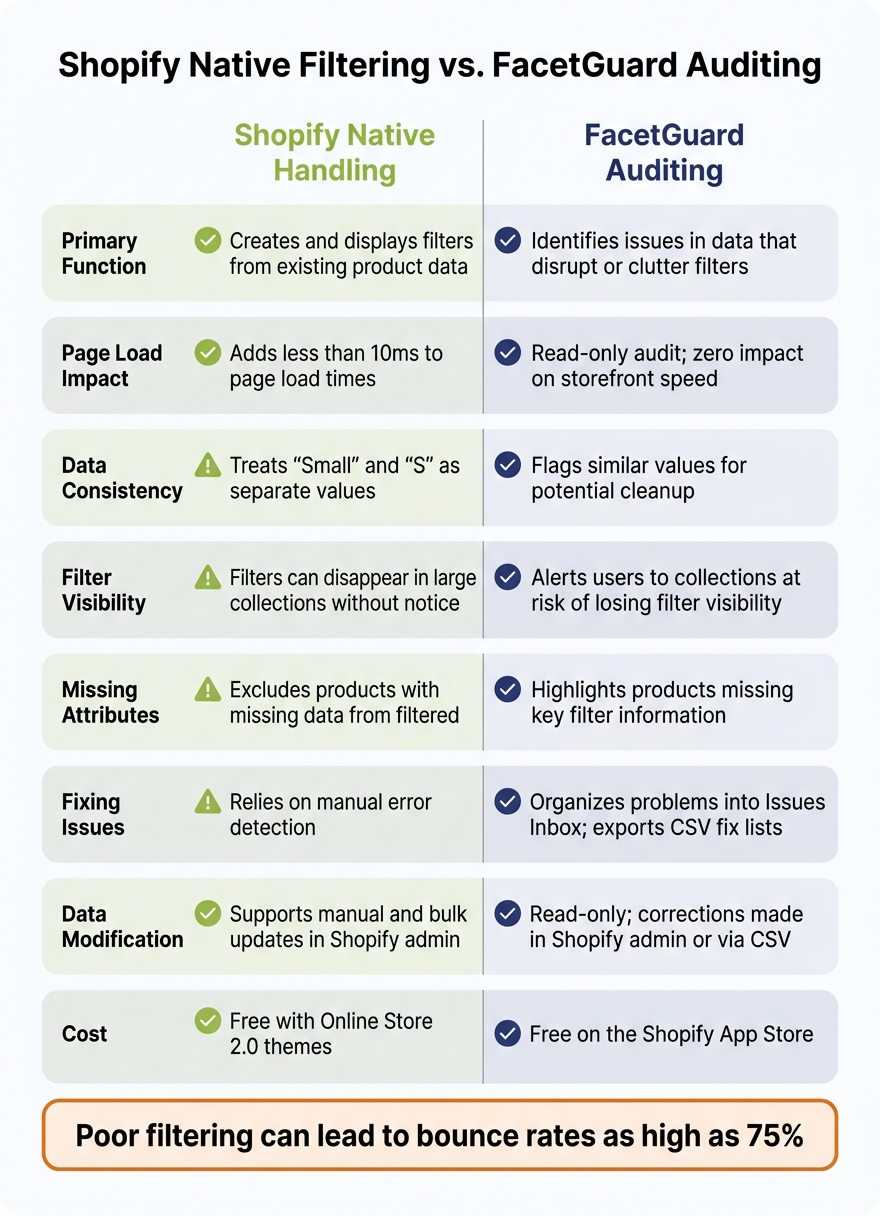
Shopify Native Filtering vs. FacetGuard: Feature Comparison
Accurate variant data is key to making filters work smoothly. The comparison below shows how thorough auditing helps create a seamless shopping experience. While Shopify’s native filtering generates storefront filters, FacetGuard focuses on auditing the variant data behind them. Each tool plays a distinct role in filter management, and this side-by-side breakdown highlights their strengths and limitations.
| Feature | Shopify Native Handling | FacetGuard Auditing |
|---|---|---|
| Primary Function | Creates and displays filters from existing product data | Identifies issues in data that disrupt or clutter filters |
| Performance | Adds less than 10ms to page load times | Read-only audit; has no impact on storefront speed |
| Data Consistency | Treats "Small" and "S" as separate values | Flags similar values for potential cleanup |
| Filter Visibility | Filters can disappear in large collections without notice | Alerts users to collections at risk of losing filter visibility |
| Missing Attributes | Excludes products with missing data from filtered results | Highlights products missing key filter information |
| Fixing Issues | Relies on manual error detection | Organizes problems into an Issues Inbox and exports CSV fix lists |
| Data Modification | Supports manual and bulk updates in the Shopify admin | Read-only; corrections must be made in Shopify admin or via CSV |
| Cost | Free with Online Store 2.0 themes | Free on the Shopify App Store |
Shopify’s native filtering is fast, reliable, and seamlessly integrated into the platform without extra cost. However, it doesn’t alert you when underlying data issues cause filters to malfunction. On the other hand, FacetGuard acts like a safety net, catching those hidden problems before they affect shoppers. It doesn’t make changes directly but provides actionable insights, leaving you in control of your catalog updates.
"Filters are not a feature. They are a revenue lever. Every click a shopper saves getting to the right product is friction removed from the path to purchase." - Andrew Simpson, Founder & Director, Pea Soup Digital
Conclusion
Shopify's native filtering system automatically generates filters from product data. However, it doesn't catch broken, inconsistent, or incomplete data - leaving a critical gap.
This is where FacetGuard steps in. It identifies specific variant-level issues like missing attributes, nearly identical option names, and visibility blockers - all without making changes to your storefront. As product catalogs grow more complex, having such a tool to audit data becomes increasingly important.
Why does this matter? Poor filtering can lead to bounce rates as high as 75%, as shoppers quickly leave when they can’t find what they’re looking for.
Catalogs with inconsistent data need regular audits. When filtering problems arise without an obvious explanation, the root cause is almost always hidden in the data itself.
Keeping variant data clean demands ongoing effort and precise tools. While Shopify provides the filters, only a solution like FacetGuard can diagnose and resolve the data issues behind them. Regular, proactive audits ensure your filters work as they should - helping improve conversions and creating a better shopping experience.
FAQs
Why do my Shopify filters show duplicate values?
Duplicate filter values in Shopify usually stem from issues like inconsistent naming, problems at the variant level, or fragmented attribute data. These inconsistencies can create overlapping or redundant filter options, which might confuse your customers. By maintaining uniform and clean attribute data, you can address these problems and make your storefront filters more accurate and user-friendly.
Why do filters disappear or show zero results?
Filters might stop functioning or display zero results for several reasons. Common culprits include high cardinality in filter values, meaning there are too many unique options for a filter. Another issue could be missing or inconsistent attribute data, which disrupts the filter's ability to match items correctly. Additionally, variants with overlapping values can create conflicting intersections, leading to broken filters or empty search results.
How can I audit variant data without changing my live store?
To review your variant data without disrupting your live store, you can perform an offline, read-only audit of your catalog. Start by exporting your product and variant data, including key details like metafields and options. Carefully examine this data for any problems, such as missing attributes or inconsistencies. Once you've pinpointed the issues, prioritize them and plan your fixes. Make updates during scheduled maintenance windows to keep your operations running smoothly. This approach allows for efficient improvements without causing interruptions.