
Why Attribute Gaps Break Filters
Attribute gaps - missing, incomplete, or inconsistent product data - are the main reason Shopify filters fail. These gaps can cause filters to disappear, return incorrect results, or create cluttered options that confuse shoppers. For example, tagging one product as "blue" and another as "Blue" creates duplicate filter options. Missing data, like the absence of a material metafield for some products, can hide items from shoppers entirely.
Broken filters frustrate customers, reduce discoverability, and hurt sales. Studies show poor filtering can cause conversion rates to drop by 20–30% for search-driven visitors. Fixing these issues requires consistent product attributes, regular audits, and tools like FacetGuard, which identifies and prioritizes data problems. Proper catalog management ensures filters remain functional and user-friendly, directly impacting how easily customers find and buy products.
Collection Filters in Shopify 2.0 - Full Tutorial & Concepts
sbb-itb-e8e54fb
How Attribute Gaps Break Shopify Filters
Attribute gaps disrupt Shopify filters in three major ways.
Filters That Don't Show Up or Return No Results
Shopify builds its filters based on the attribute values in your product catalog. If too few items in a collection have a specific attribute filled in, Shopify might not display that filter at all. For instance, a shopper browsing your outerwear collection might expect to filter by material, but if only 8 out of 60 products have the material metafield populated, that filter simply won’t appear.
Even when a filter is visible, missing attribute data can lead to incomplete or misleading results. Imagine selecting "Cotton" in a filter and only seeing 4 of the 30 cotton products in stock. According to Baymard’s UX research, zero-result pages or filters that return unexpectedly narrow options often frustrate users, causing them to abandon the site entirely rather than retry their search.
While missing values can hide filters, inconsistent data creates an entirely different problem - clutter.
Cluttered Filters with Duplicate or Noisy Values
Inconsistent naming of attributes can turn filters into a confusing mess. For example, variations like "S", "SM", "Small", and "small" fragment size filters, making them harder for shoppers to understand. The same issue can plague color filters when options like "Navy", "navy blue", and "Dark Blue" are treated as separate colors, even though they represent the same shade.
This kind of inconsistency not only makes your inventory appear smaller but also forces shoppers to guess or dig through filters. The problem only grows as your catalog expands - what seems like a minor issue with 200 SKUs can become a major headache when you’re managing 5,000.
Business Costs of Broken Filters
The impact of broken filters isn’t just about user experience - it hits your bottom line. A study by Qubit and Forrester found that poor filtering experiences can lead to conversion drops of 20–30% among search-driven visitors. These are high-intent shoppers who arrive ready to narrow down their options, but instead, they leave frustrated and abandon their carts.
On top of lost revenue, broken filters create operational challenges. Merchandising teams often have to step in and manually fix issues caused by bad data. Customer support teams face an uptick in tickets from confused shoppers, and products that should be easy to find end up buried. The core issue in nearly every case? It’s not the filters themselves - it’s the messy attribute data behind them.
How to Diagnose Attribute Gaps in Your Shopify Catalog
Finding attribute gaps is one thing; figuring out where they are in your Shopify catalog is another challenge entirely. A structured diagnostic process is essential to ensure your filters are clean and reliable. This approach helps you focus on the right issues.
Identifying the Attributes That Matter for Filtering
Not every attribute in your catalog needs to be ready for filtering. In Shopify, filters rely on three main data sources: product options (like size and color), tags, and metafields. To avoid being overwhelmed, start by auditing attributes collection by collection instead of tackling the entire catalog at once. For example, outerwear collections often depend on attributes like material, fit, and insulation, while footwear collections focus on size, width, and color. Once you determine the key attributes for each collection, you can target what needs to be populated and standardized. From there, assess these attributes for both coverage and consistency.
Evaluating Attribute Completeness and Uniformity
Coverage refers to how many products have a specific attribute filled out. For instance, if 40 out of 100 jackets lack the material metafield, that filter becomes unreliable. Shoppers may not be able to articulate the issue, but they’ll notice something feels off.
Consistency is just as important. Here, you’re looking for fragmented attribute values caused by slight variations in naming. For example, a size filter that includes "S", "SM", and "Small" as separate options creates confusion and makes your inventory appear smaller. Similarly, color filters with entries like "Navy", "Navy Blue", and "Dark Navy" dilute the shopping experience. Another issue to watch for is cardinality explosion, where attributes have an overwhelming number of unique, long-tail values that clutter the filter panel rather than help customers narrow their choices.
When manual checks become too time-consuming, specialized tools can make this process more efficient.
Tools That Simplify Catalog Auditing
For smaller catalogs, manual audits in Shopify Admin might suffice, but this approach doesn’t scale well as your catalog grows. That’s where tools like FacetGuard (facetguard.com) come in. Launched on January 13, 2026, FacetGuard is designed to tackle inconsistent storefront filters by identifying missing or misformatted options, tags, and metafields.
"Filter issues often don't look like errors - they look like 'the storefront is weird today.'" - FacetGuard
FacetGuard stands out by categorizing issues based on severity. It separates filter blockers - urgent problems requiring immediate attention - from less critical issues that can be reviewed later. The tool also allows you to export CSV lists of affected products, enabling your merchandising team to handle bulk updates efficiently without sifting through Shopify Admin manually. Importantly, FacetGuard operates in a read-only mode, meaning it doesn’t alter your product data; it simply highlights what needs fixing. By identifying and prioritizing these issues, FacetGuard helps ensure your Shopify filters remain dependable and user-friendly across your entire catalog.
How to Fix and Prevent Attribute Gaps
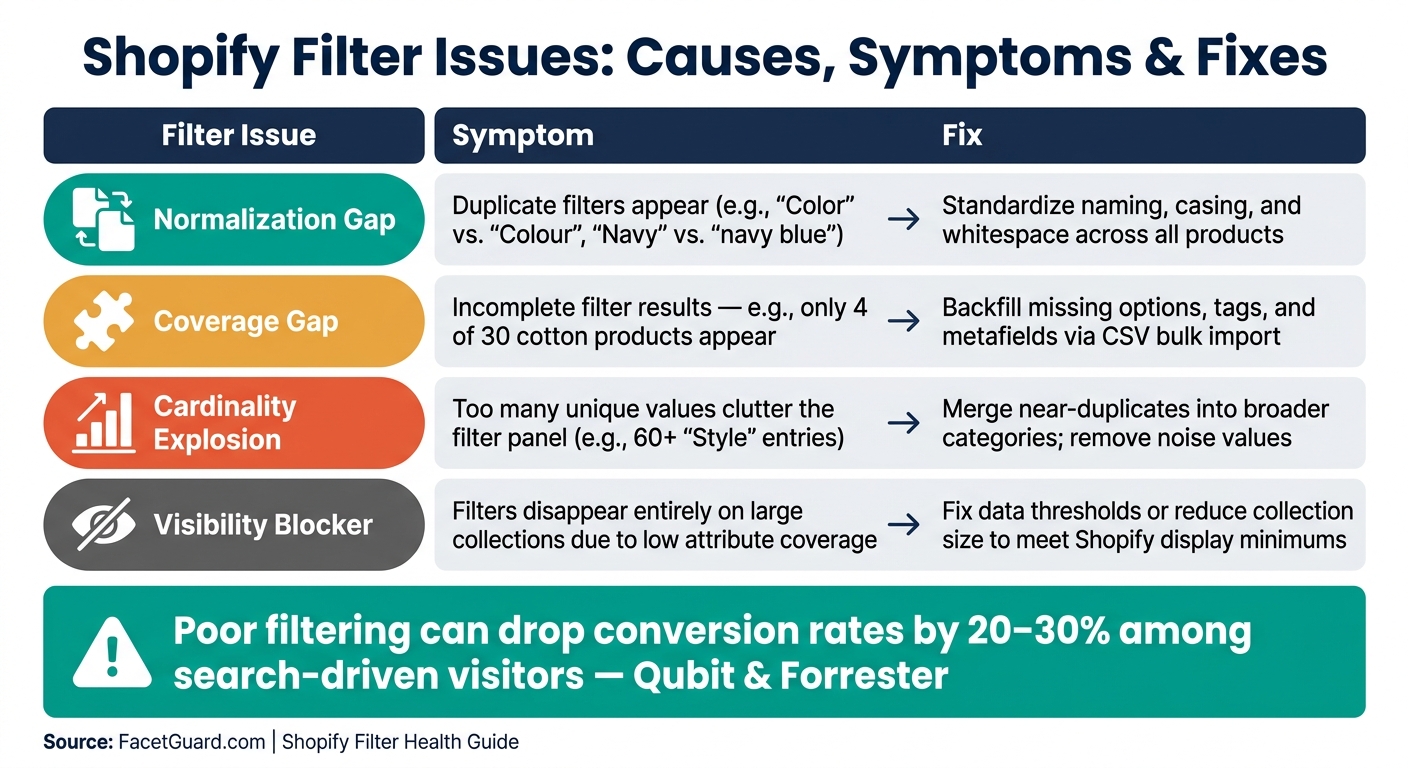
Shopify Filter Issues: Causes, Symptoms & Fixes
Once you’ve identified where your attribute gaps are, the next step is addressing them systematically.
Standardizing and Backfilling Attributes
Start by standardizing your attributes - this means ensuring that each attribute is consistently named and formatted across your catalog. For example, inconsistencies like "Color" versus "Colour", or variations in spacing and capitalization, can create duplicate filters that confuse customers. After cleaning up these naming issues, focus on filling in any missing values for products that lack specific attribute data.
The fastest way to backfill missing information is by using CSV exports. Export a list of products missing a particular attribute, update the data in a spreadsheet, and re-import it into Shopify using the bulk editor. This method is far more efficient than manually editing hundreds of products through the Shopify Admin.
| Filter Issue | Symptom | Fix |
|---|---|---|
| Normalization gap | Duplicate filters (e.g., "Color" vs. "Colour") | Standardize naming, casing, and whitespace |
| Coverage gap | Incomplete filter results | Backfill missing options and metafields |
| Cardinality explosion | Too many unique values clutter the filter panel | Merge near-duplicates, remove noise values |
| Visibility blocker | Filters disappear on large collections | Fix data thresholds or reduce collection size |
Once your data is standardized, the next step is to merge similar values to simplify and optimize your filters further.
Reducing Attribute Fragmentation
Attribute fragmentation happens when the same concept is recorded in slightly different ways, leading to separate filter options rather than a unified term. The fix? Merge these similar values into a single, standardized term and update all related products accordingly.
It’s also important to keep an eye on high-cardinality attributes - those with an excessive number of unique values. For instance, if a "Style" attribute has 60 different entries, it can overwhelm shoppers rather than help them. To solve this, group less common values into broader categories or remove the attribute from your filtering logic if it doesn’t aid in narrowing down choices effectively.
Using FacetGuard to Manage Attribute Fixes
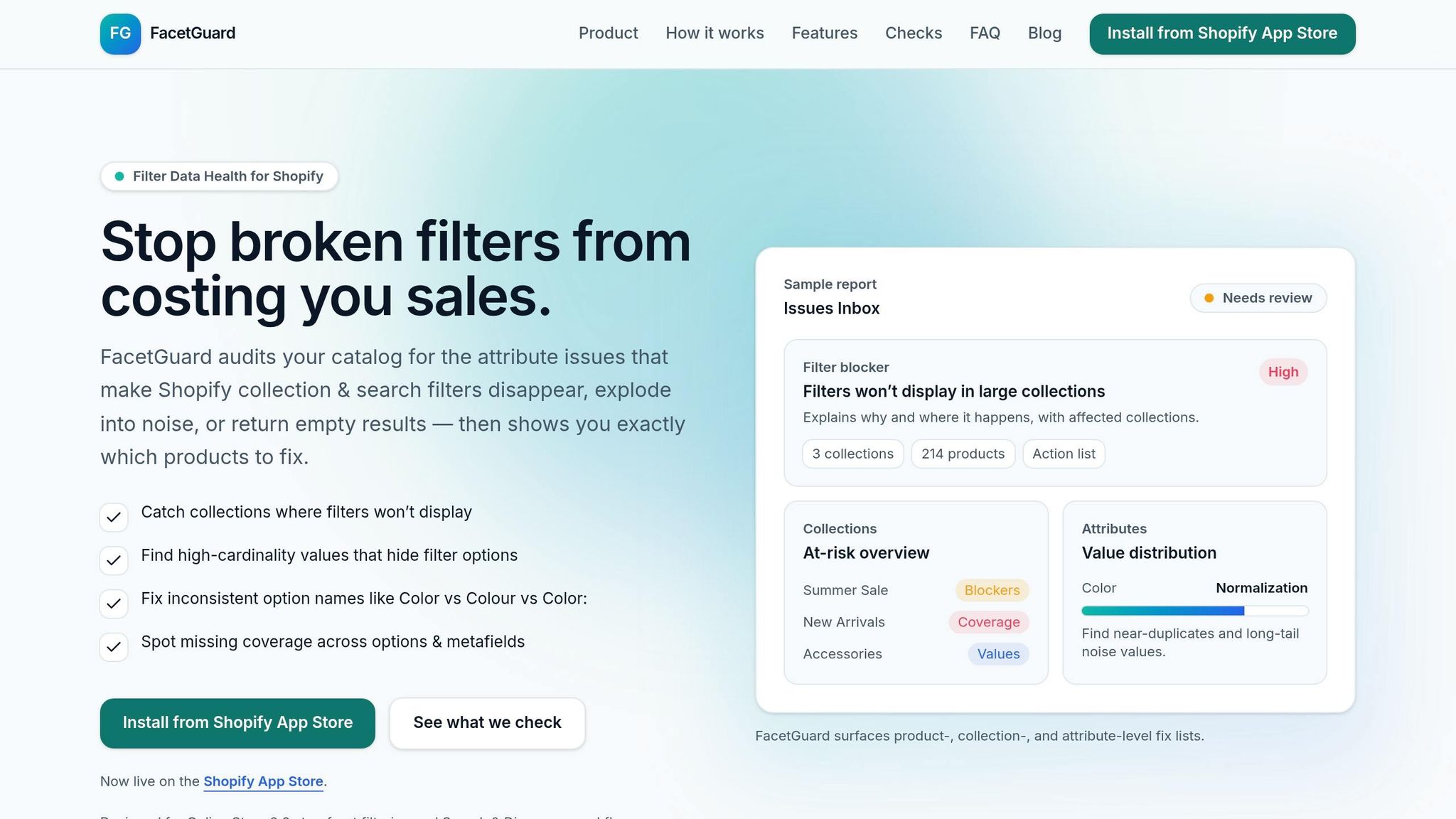
To streamline these corrections, consider using FacetGuard. This tool builds on your audit by generating prioritized fix lists. It scans your catalog collection by collection, flags inconsistencies in option names, tags, and metafields, and identifies filter blockers - urgent issues that need immediate attention.
FacetGuard also allows you to export a CSV file of affected products, enabling your merchandising team to apply fixes in bulk without sifting through Shopify Admin manually. Once you’ve implemented the corrections, you can mark problems as resolved within the tool, keeping your workspace organized and focused on what’s next. The app is currently available for free on the Shopify App Store.
Keeping Filters Reliable as Your Catalog Grows
Once you've addressed existing gaps in your catalog's attributes, the challenge becomes keeping it clean as your inventory grows. Fixing data gaps is not a one-time task - new products, supplier imports, and manual updates can quickly introduce inconsistencies. Without proper oversight, these issues can resurface just as fast as they're resolved.
Setting Attribute Governance Rules
The best way to avoid recurring problems is to establish clear rules from the start. This means defining which attributes are required for each product category, specifying acceptable values, and standardizing formatting. For instance, if your apparel section uses filters like "Color" and "Size", these attributes should be mandatory for every product in that category. Consistent formatting eliminates guesswork, prevents fragmented filters, and reduces the need for manual fixes down the line.
Once these rules are in place, they need to be seamlessly integrated into your workflows to ensure consistent application.
Adding Attribute Checks to Your Workflows
Rules are only effective if they're enforced. The most vulnerable stages are product onboarding and supplier imports, where inconsistencies are most likely to occur. Conducting an audit immediately after importing products can catch errors before they go live, preventing issues like duplicate filter options. Adding a weekly review of your most-visited collections can serve as an additional safeguard for catching missed errors.
| Workflow Stage | What to Check | Why It Matters |
|---|---|---|
| Product Onboarding | Required attributes are present and formatted | Ensures filters are functional at launch |
| Supplier Imports | Consistency in naming, whitespace, and casing | Prevents duplicate or fragmented filter values |
| Catalog Maintenance | Attribute coverage and high-cardinality issues | Identifies hidden problems in large collections |
Tracking and Prioritizing Attribute Health
Even with governance in place, some issues will inevitably arise. The key is having a system to quickly identify and address the most critical ones.
FacetGuard simplifies this process with a centralized Issues Inbox that organizes problems by severity. It prioritizes Filter Blockers - issues that cause filters to fail completely - above less urgent problems like normalization errors or unnecessary noise. This ensures your team focuses on what matters most, like fixing broken filters on high-traffic collections that could be costing you sales. Additionally, collection-level tracking highlights the percentage of products with missing or incomplete attributes, helping you catch gaps before your customers do.
"Stop broken filters from costing you sales." - FacetGuard
Conclusion: Better Filters Start with Better Catalog Data
When you have "Navy Blue" and "navy-blue" listed as separate options - or worse, a product missing its color value entirely - your filters start to break down. They might disappear, return no results, or clutter your storefront with duplicate choices. These small issues can snowball, damaging the shopping experience and cutting into your sales.
The key to solving this lies in understanding the root cause. Visibility is step one: you need to know which products are missing key attributes and how those gaps are affecting your collections. Regular audits and standardized attribute formatting are essential for keeping filters clean and functional.
Catalog maintenance is an ongoing process. New imports and bulk edits can introduce errors, so it's crucial to build attribute checks into your workflows. Scheduling regular scans can help you catch and fix issues before they spiral out of control.
A tool like FacetGuard can make this process easier. Designed specifically for Shopify merchants, FacetGuard launched on January 13, 2026, and offers a structured way to identify missing attributes, spot formatting inconsistencies, and prioritize fixes. It focuses on the filter blockers that directly impact your storefront - and it’s free, so there’s no reason not to give it a try.
The bottom line? Effective filters depend on a consistent process for identifying and addressing catalog gaps - not on starting with a perfect catalog.
FAQs
Why do Shopify filters disappear on some collections?
Shopify filters might vanish for several reasons, including collection size limits, disorganized product data, or incorrect settings. For instance, filters won’t appear on collections with more than 5,000 products or when search results exceed 100,000 items. Other culprits include inconsistent attribute naming (like using both "Color" and "Colour"), unsupported metafield types, or enabling the "Hide empty values" option, which removes filters if no products match the criteria.
How do I standardize color and size values to avoid duplicate filters?
To keep your filters clean and avoid duplicates, make sure to standardize color and size values using structured metafields with consistent naming conventions. For example, unify variations like "S" and "Small" or "Navy" and "navy." Shopify’s bulk editor or CSV imports can streamline this process. Instead of freeform text, stick to preset choices or dropdowns in your metafield definitions for better accuracy. Tools like FacetGuard are great for spotting and fixing duplicates, typos, or inconsistencies in your catalog.
What are the fastest ways to find missing metafields across products?
To locate missing metafields quickly, you can use Shopify's search bar with a specific query: -metafields.{namespace}.{key}:*. For example, typing -metafields.custom.material:* will display products that don't have a material value assigned.
If you're looking for a more thorough review, tools like FacetGuard can help. It scans your catalog, flags missing metafields, and organizes them in an Issues Inbox, making it easier to tackle these gaps systematically.