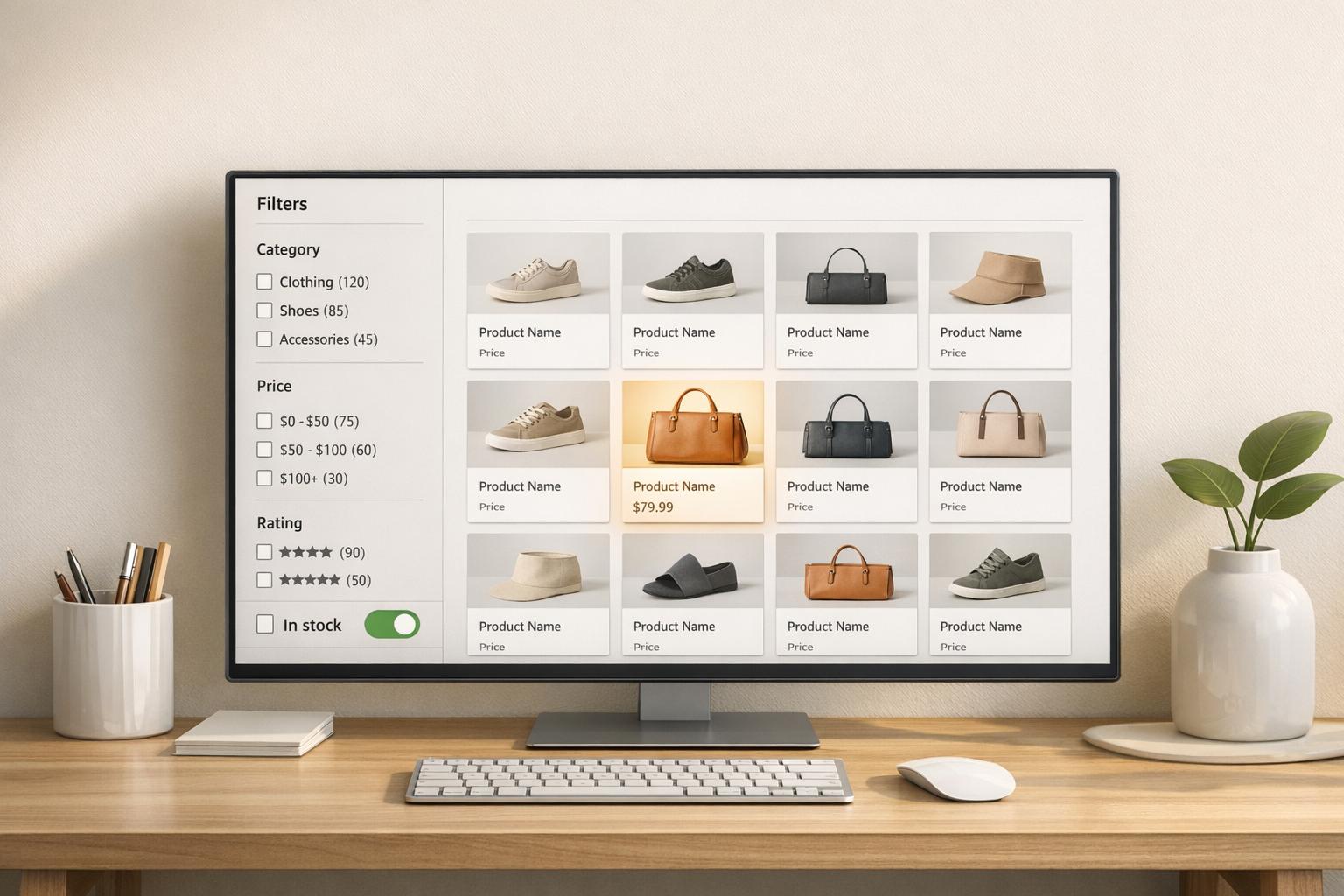
Why Filter Data Accuracy Matters For Shopify
Filter data accuracy ensures shoppers can easily find the products they want on your Shopify store. When product details like size, color, and tags are consistent and correct, filters work smoothly. But if data is inconsistent - like having "Small" and "small" as separate tags - customers get confused, leading to frustration, missed sales, and lost trust.
Key Takeaways:
- Accurate filters improve product discovery, boost conversion rates, and increase revenue.
- Common issues include inconsistent formatting, missing values, and errors from bulk imports.
- Real-time updates prevent out-of-stock items from showing up, avoiding customer frustration.
- Tools like FacetGuard help audit and fix filter problems, saving time and improving performance.
Why It Matters:
Broken filters don’t just hurt sales - they waste resources and skew analytics. Fixing them is critical for a better shopping experience and reliable business insights.
How Accurate Filters Drive Conversions and Revenue
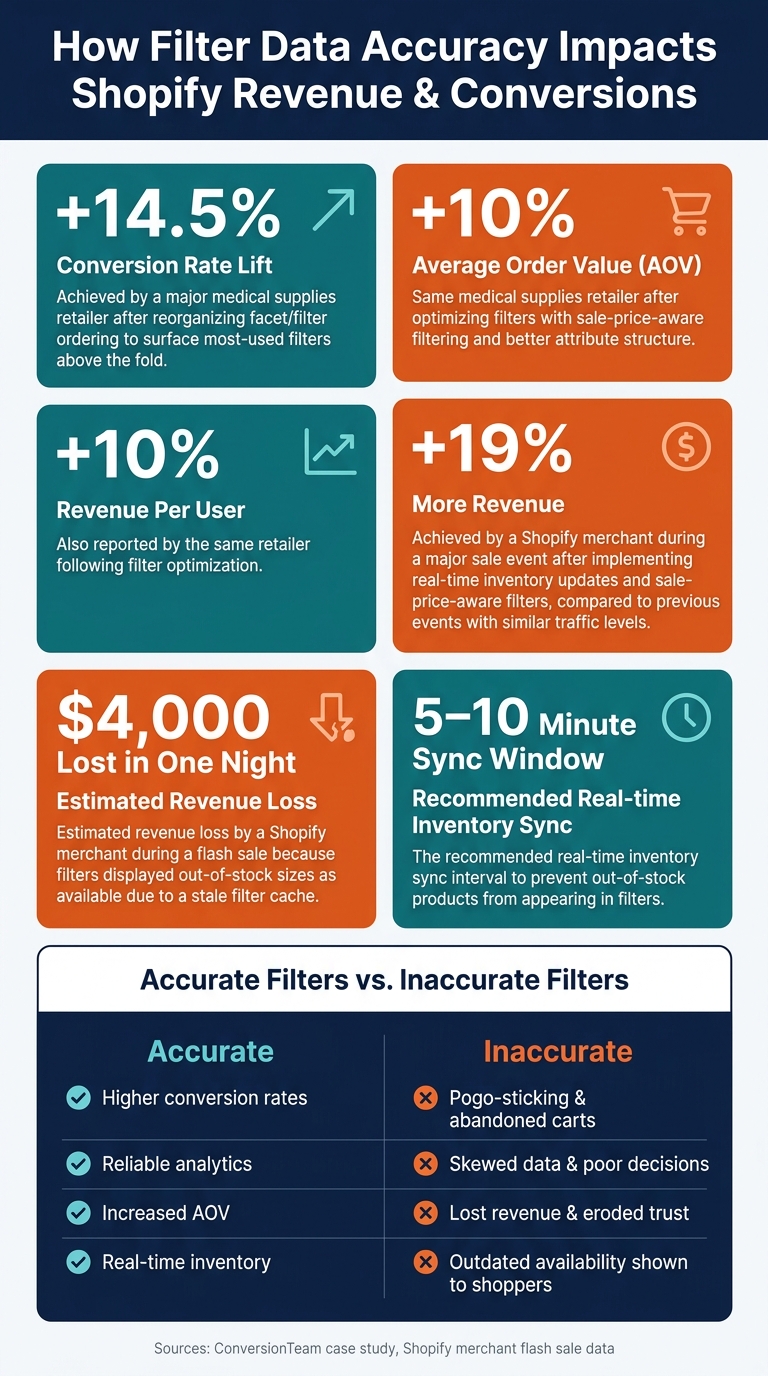
How Filter Data Accuracy Impacts Shopify Revenue & Conversions
The Link Between Accurate Filters and Higher Conversion Rates
Accurate filters play a key role in helping shoppers complete their purchases. When filters reliably show the right products, customers move through the buying process faster and with more confidence.
Take the example of a major medical supplies retailer: by reorganizing their facet ordering to place the most-used filters above the fold, they achieved a 14.5% lift in conversion rates. Devon Cox, President of ConversionTeam, emphasized the importance of this tactic:
"Facet ordering tests on large-SKU catalogs are exactly the discoverability work CRO specialists should be running and reporting on across both D2C and B2B traffic."
Well-structured filters not only reduce hesitation but also encourage shoppers to add items to their carts. This improvement in conversion rates directly enhances the customer experience while driving revenue growth.
How Accurate Filters Help Customers Find Products
Inaccurate filters can frustrate shoppers and lead to the dreaded "pogo-sticking" problem - where customers repeatedly click on products only to find they’re unavailable, forcing them to start their search all over again. This issue is especially damaging for stores with extensive catalogs, as it increases bounce rates and erodes trust.
For instance, if a product sells out at 11:00 p.m. but the filter cache doesn’t refresh until midnight, shoppers are left with outdated information. This disconnect can lead to abandoned carts. One Shopify merchant saw this firsthand during a flash sale, losing an estimated $4,000 in revenue in just one night because their filters displayed out-of-stock sizes as available. As one expert put it:
"The math is simple: if your most popular size sells out at 11:00 p.m. and your filter cache refreshes at midnight, every customer who filters by that size between 11:00 p.m. and midnight sees a lie."
The solution? Real-time inventory sync. By updating filters within 5–10 minutes, retailers can provide accurate availability, keeping customers engaged and reducing frustration.
How Filters Can Increase Average Order Value
Filters do more than streamline navigation - they also encourage shoppers to explore additional products. Accurate filters can highlight options like "Bundle Available" or "Free Shipping Eligible", nudging customers to meet spending thresholds and increasing their average order value (AOV).
Another effective tactic is sale-price-aware filtering. When price filters take both the base price and promotional discounts into account, budget-conscious shoppers are exposed to a wider range of products, often adding more to their carts. The same medical supplies retailer that saw a conversion boost also reported a 10% increase in AOV and a 10% rise in revenue per user after optimizing their filters. Similarly, a Shopify merchant who implemented real-time inventory updates and sale-price-aware filters achieved 19% more revenue during a major sale event compared to previous events with similar traffic levels.
"Improving how product attribute data is structured and how filters behave is one of the highest-return changes a store can make because it works on every visitor, not just the ones a specific campaign brings in." – The Salford Magazine
sbb-itb-e8e54fb
What Inaccurate Filters Cost Shopify Stores

For Shopify merchants, filter errors do more than just frustrate shoppers - they can quietly drain resources, disrupt operations, and lead to poor business decisions.
How Bad Filters Damage Customer Trust
When filters don’t work as expected, customers lose confidence in the store. For instance, if a filter returns zero results or mismatched products, shoppers may assume the item they’re looking for isn’t available. Even something as simple as inconsistent labeling - like using "Navy Blue" in one place and "navy-blue" in another - can create duplicate options that confuse shoppers and make the store feel disorganized. Overloaded filter sidebars, caused by too many unstandardized values, add to the frustration and make the shopping experience overwhelming. All of this erodes trust, which directly impacts sales and retention.
The Operational Costs of Filter Errors
Filter problems often fly under the radar because they don’t come with obvious error messages. Instead, they show up as subtle but time-consuming issues. For example, filters might disappear from certain collection pages or return empty results without any clear reason. Diagnosing these problems eats up valuable team resources.
Bulk product imports can make things worse by introducing a flood of unique, inconsistent data values. This clutter can obscure legitimate filter choices or overwhelm the sidebar with irrelevant options. In extreme cases, large collections may exceed Shopify's size limits, causing filters to vanish entirely. When that happens, customers are left with basic sorting options and endless scrolling, which hurts their overall experience.
But the damage doesn’t stop there - filter inaccuracies also wreak havoc on your business analytics.
How Poor Filter Data Skews Your Analytics
Bad filter data doesn’t just confuse shoppers; it also distorts your analytics. For example, if your filters treat "Small" and "S" as separate options, the resulting data becomes fragmented, making it harder to understand product performance. Products missing filter values may show lower engagement and conversion rates simply because they’re harder to find.
This problem often starts with bulk imports, which can introduce inconsistencies in naming standards. Over time, these discrepancies lead to "filter data drift", where new products deviate from established norms. The result? Period-over-period comparisons become unreliable, and merchandising decisions are based on flawed insights. Tools like FacetGuard can help by scanning your product catalog for missing or inconsistent attribute values, ensuring your data stays clean and accurate before it impacts your store’s growth.
How to Audit and Fix Filter Data Accuracy in Shopify
To address the conversion and revenue challenges discussed earlier, conducting a thorough audit is crucial. The best approach combines customer feedback, behavioral data, and a detailed review of your product catalog to identify and resolve filter-related issues.
Using Qualitative Research to Identify Filter Problems
Session recordings can reveal filter-related friction, like users clicking on a filter and leaving immediately after finding no results. These patterns often go unnoticed in aggregate data. Similarly, exit surveys on search or collection pages can uncover confusion around filter labels. For example, shoppers may report being unable to find expected products, even though those items are in your catalog.
User testing with a small group (around five to ten participants) can also highlight issues such as duplicate filter values - like "Navy Blue" and "navy-blue" appearing as separate options - or an overwhelming number of unstructured values in the filter sidebar. These insights provide a foundation for deeper analysis using Shopify’s analytics.
Using Analytics Data to Detect Filter Issues
Shopify’s analytics can help pinpoint filter problems when you know what to look for. High bounce rates on collection pages or low time spent on a page may suggest that shoppers aren’t finding what they need. Similarly, search exits - when users abandon a search without clicking results - can indicate that filters aren’t surfacing the right products.
Key metrics to monitor include missing filter values, duplicate options, and attribute cardinality (the number of unique values for a given attribute). These indicators can help identify inconsistencies and guide your next steps.
Running Catalog Audits and Fixing Attribute Data
Once analytics highlight problem areas, a catalog audit translates those insights into actionable fixes. This involves systematically reviewing product attributes - like options, tags, and metafields - to uncover missing data, inconsistencies, or formatting errors across your catalog. Fixing these issues is essential to restoring accurate filters, rebuilding customer trust, and improving revenue performance.
Tools like FacetGuard simplify this process. Its Issues Inbox offers a centralized view of filter-related problems, ranked by severity and impact, making it easier to prioritize fixes. The Filter Blockers Scanner detects collections where filters aren’t working properly and identifies the root cause, such as size limits or schema constraints. Additionally, the Attribute View and Collection View allow you to drill down into specific attributes and collections to spot normalization issues and other risks.
For large-scale corrections, FacetGuard supports CSV exports of affected products and variants, enabling bulk updates instead of manual edits. Regular catalog scans can catch new issues before they impact shoppers. Plus, their free Filter Health plan provides an accessible starting point for merchants to begin auditing without upfront costs.
Keeping Filter Data Accurate Over Time
Running a one-time audit is a great starting point, but maintaining filter accuracy is an ongoing challenge. Every new product import, bulk edit, or catalog update can reintroduce errors into your system. To ensure long-term accuracy, you need a combination of clear ownership, automated monitoring, and a structured plan for addressing issues. This approach helps connect the dots between initial audits and day-to-day operations.
Setting Up Ownership and Standards for Product Data
To prevent filter data from deteriorating over time, assign a dedicated person or team - often from product or merchandising - to oversee attribute standards. Document these standards clearly to avoid confusion. Without clear ownership, inconsistencies can creep in. For example, team members might use "Small", "S", and "sm" to represent the same size, which creates multiple filter options and frustrates shoppers.
It's not just about standardizing basic product options. Tags and metafields, which are often used for advanced storefront filtering, also need clear rules. A post-import review step can help catch errors before new products go live. This ensures your filters remain consistent and shopper-friendly.
Monitoring for Filter Data Drift
Even with ownership in place, errors can slip through the cracks. Rushed uploads, for instance, can introduce unnoticed issues.
"Filter issues often don't look like errors - they look like 'the storefront is weird today.'" - FacetGuard
Automated tools can help here. By scanning your catalog and sending alerts when problems arise, your team can address issues before they impact customers. Key problems to watch for include:
- Cardinality explosion: When an attribute suddenly has too many unique values.
- Coverage gaps: When more products start missing a required attribute.
- Normalization issues: Inconsistencies in casing or punctuation for attribute names.
These tools ensure you’re not relying on customer complaints to identify problems.
Turning Audit Findings Into Prioritized Fixes
Once you’ve identified issues, focus on resolving them in an order that makes the biggest impact. Prioritize fixes based on severity and the number of affected shoppers. This way, your team can tackle the most pressing problems first.
FacetGuard’s CSV export feature simplifies this process by allowing you to bulk-edit affected products and variants instead of fixing them one by one. For less critical or intentional issues, you can mark them as ignored to keep the fix list manageable. With ongoing monitoring, your catalog stays filter-ready - not just immediately after an audit.
Conclusion: Why Filter Accuracy Is a Business Priority for Shopify Merchants
Filter accuracy isn't something you fix once and forget. Every time you import products, make bulk edits, or update your catalog, there's a chance for errors to creep in - errors that can quietly bury products shoppers are actively trying to find.
Broken filters mean lost sales. When tag formats are inconsistent, products become hidden, directly affecting how easily customers can discover them.
To maintain filter accuracy, focus on three things: clear data ownership, consistent standards, and automated monitoring. Tools like FacetGuard can make this process much easier. FacetGuard automates catalog audits, scanning product options, tags, and metafields to spot coverage gaps, normalization issues, and cardinality problems. It then creates a prioritized list of fixes, so you can address problems quickly and keep your filters working smoothly.
In short, staying on top of filter accuracy and monitoring proactively is how you unlock the full potential of your catalog.
The best Shopify stores aren't necessarily the biggest - they're the ones where every product is easy to find. Clean and consistent filter data lays the groundwork for long-term success.
FAQs
How do I know my Shopify filters are inaccurate?
Signs that your Shopify filters might be off include a zero-result search rate climbing above 2-3%, missing or incomplete filter options, inconsistent naming conventions (like "Color" versus "Colour"), fragmented filter lists, or filters disappearing when applied to large collections. Tools like FacetGuard can step in to help. It scans for problems such as collections with over 5,000 products or overly complicated attributes, offering actionable insights to keep your filters accurate and effective.
Which product fields most often break Shopify filters?
Shopify filters can run into trouble when the source attributes they rely on are inconsistent or incomplete. This is especially common with variant fields like Size, Color, and Material. For example, if some products list a size as "XL" while others use "X-Large", the filter system struggles to interpret them as the same option.
Another common issue stems from metafields. If these fields - often used as filters - contain incorrect, missing, or misconfigured values, they can cause the filters to malfunction. On top of that, high-cardinality attributes or duplicate entries scattered across multiple metafields (like several different "Material" fields) can lead to fragmented and overly cluttered filters. This not only confuses the system but also makes navigation more challenging for users.
How often should I audit filter data in Shopify?
You should review Shopify filter data at least twice a year to keep catalog attributes accurate and ensure filters work as intended. It's also important to double-check filter data after updating products or metafields. Keep in mind, Shopify may take 24–48 hours to re-index changes, so filters might not show the latest updates immediately.